
Description
The Problem – USB-C Devices Can’t Use Standard USB Accessories
Modern phones and tablets use USB-C ports, but most accessories still use traditional USB-A connectors. For example, you cannot plug a standard USB flash drive directly into a USB-C phone. Similarly, a USB keyboard or mouse is useless with a tablet without an adapter. Furthermore, transferring photos from a camera’s USB cable is impossible. As a result, you are forced to use cloud services or find a computer to access your files. This USB-C OTG adapter solves that problem. Consequently, any USB-A device can connect directly to your USB-C phone or tablet.
OTG Technology – Turns Your Phone into a Host
OTG stands for “On-The-Go,” a technology that allows your phone or tablet to act as a host device. Specifically, when you plug this adapter into your USB-C port, your device can power and communicate with connected USB peripherals. Therefore, your phone can read a USB flash drive just like a computer. For instance, view photos, play videos, open documents, or transfer files. Similarly, use a full-sized keyboard to type emails or notes. As a result, your phone becomes more productive.
USB 3.0 – High-Speed Data Transfer
This adapter supports USB 3.0 speeds. Specifically, it can transfer data at up to 5Gbps, which is significantly faster than USB 2.0. Therefore, moving large files is quick and efficient. For example, transfer a full HD movie from a USB drive to your phone in seconds. Similarly, back up hundreds of photos from your phone to a flash drive without waiting. As a result, you save valuable time.
The adapter is also backward compatible with USB 2.0 devices. Consequently, it works with older flash drives and peripherals at their maximum speed.
Supports Up to 6A – Power for Demanding Devices
Most OTG adapters do not support power pass-through. This one is different. Specifically, it supports up to 6A (6 amps) of current. Therefore, you can connect power-hungry devices such as external hard drives that require more power than a phone’s USB port typically provides. For instance, use a portable SSD or a USB-powered hub. Similarly, charge your phone through the adapter while using a USB device (depending on your phone’s OTG implementation). As a result, it is more versatile than basic adapters.
Plug and Play – No Apps or Drivers Required
This adapter requires no software installation. Specifically, simply plug it into your phone or tablet’s USB-C port. Then connect your USB-A device. For example, on an Android phone, a notification will appear, and you can access the files immediately. Similarly, on a USB-C iPad, the Files app will show the connected drive. As a result, you can start using it within seconds.
Compact and Portable – Lives on Your Keychain
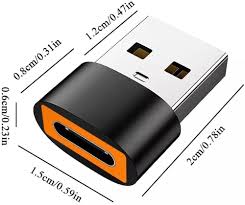
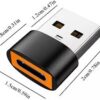
This adapter is tiny. Specifically, it is approximately 2-3 centimetres long. Therefore, it fits easily on a keychain or in a small pocket of your bag. For instance, attach it to your keys so you always have it when you need it. Similarly, keep one in your laptop bag, car glovebox, or wallet. As a result, you never find yourself unable to access a USB drive.
USB-C Female to USB-A Male – The Right Orientation
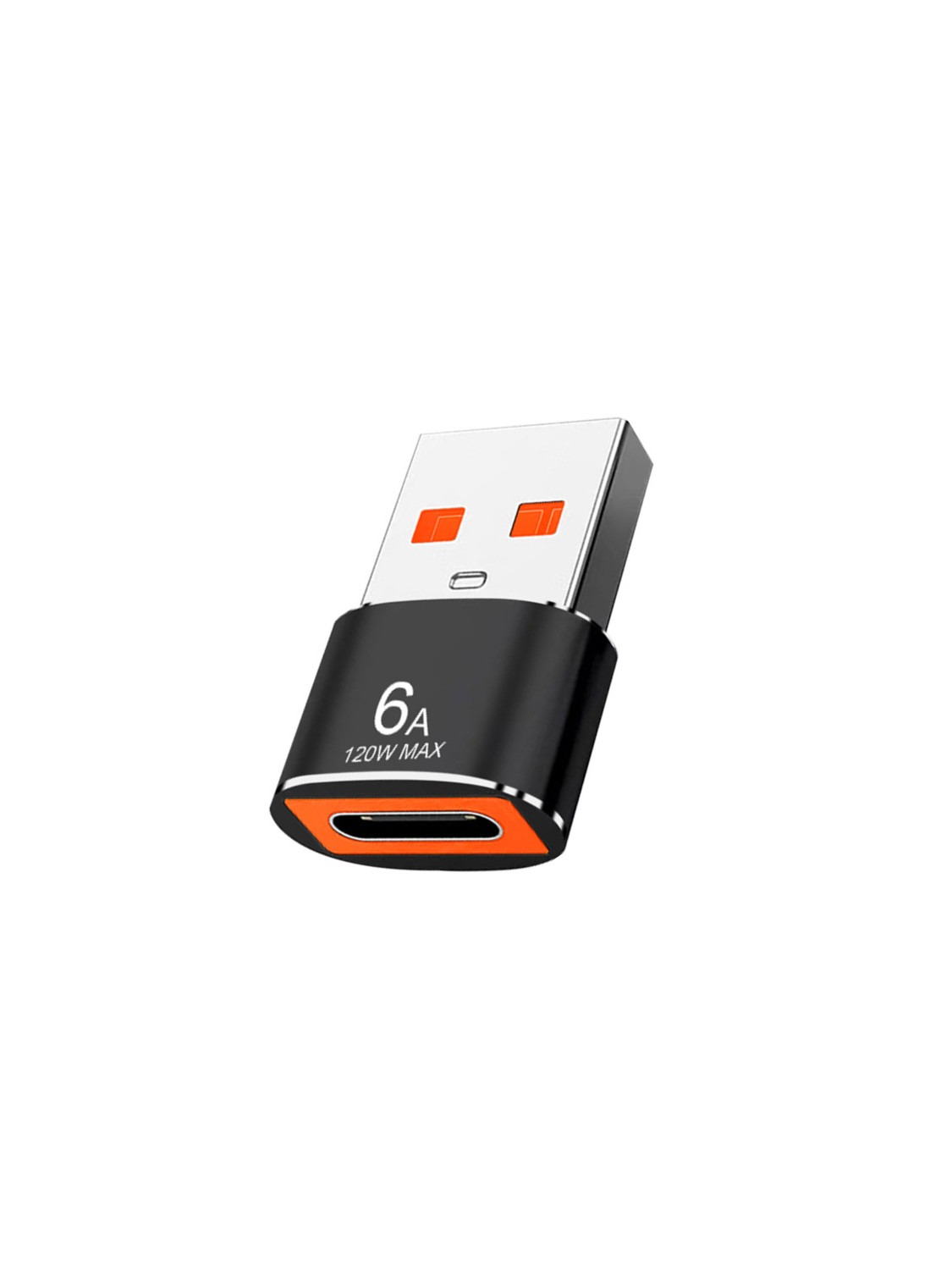
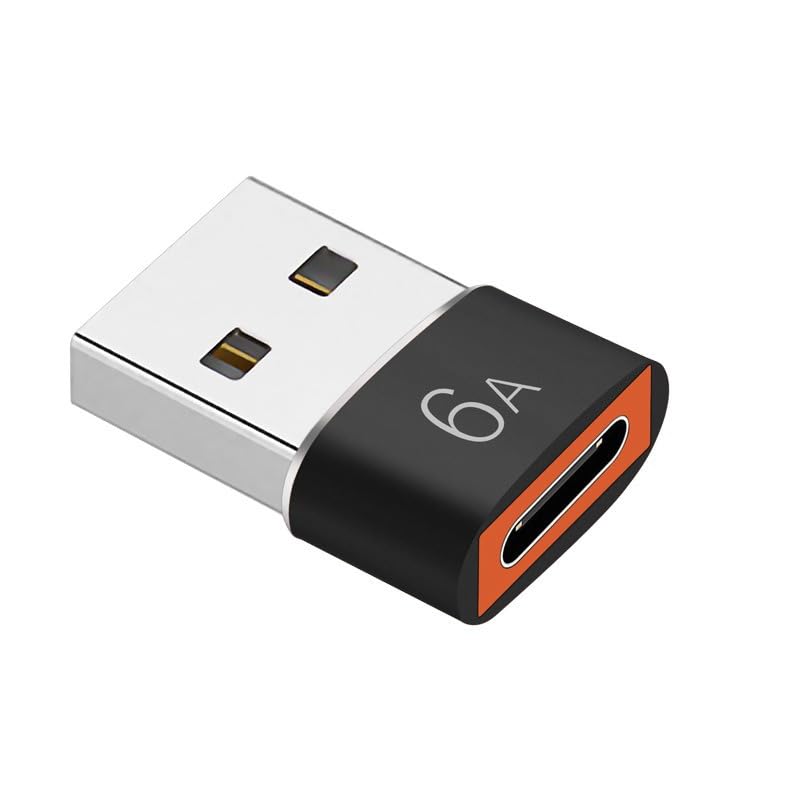
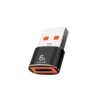
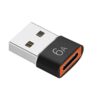
This adapter has a USB-C female port (the hole) and a USB-A male plug (the metal tip that goes into a computer). Specifically, the USB-C end accepts a USB-C cable (such as your phone’s charging cable). The USB-A end plugs into your computer’s USB port. Therefore, it serves two purposes:
-
Connect USB-A devices to USB-C phones – plug the USB-A device into the adapter’s USB-C side? Wait, careful. Clarification:
-
To connect a USB flash drive (USB-A male) to a phone (USB-C female): You need a USB-C female (phone side) to USB-A female (for the drive). But this adapter is USB-C female to USB-A male. That means it goes the other direction: from a computer’s USB-A port to a device with USB-C. Let me correct this.
-
Actually, for connecting a USB flash drive to a USB-C phone, you need a USB-C male (plugs into phone) to USB-A female (plug the drive into that). This adapter is the reverse: USB-C female (for a cable) to USB-A male (plugs into computer). So please check your product’s orientation. For typical OTG use (phone to flash drive), you need USB-C male to USB-A female.
If this product is USB-C female to USB-A male, it is designed to connect a USB-C device (like a camera or phone) to a computer’s USB-A port. For example, transfer photos from a USB-C camera to a PC. As a result, ensure you have the correct orientation for your needs.
Real Use Cases for UK Users
Consider a photographer who shoots on a USB-C camera. At the end of a shoot, they want to transfer photos to their Windows laptop, which has only USB-A ports. This adapter plugs into the laptop, and the camera connects via its USB-C cable. Accordingly, files transfer quickly. As a result, no cloud uploads or card readers are needed.
Similarly, a student has a USB-C tablet and a USB flash drive with lecture notes. They need a USB-C female to USB-A female adapter to read the drive. (Check your product’s orientation.) Alternatively, if this adapter is USB-C male to USB-A female, it works. Please confirm.
Furthermore, someone with a USB-C external SSD wants to back up files to an older computer. This adapter bridges the connection. Consequently, the fast SSD works with the older computer’s USB-A ports.
Compatibility – Works with Most USB-C Devices
This adapter works with any device that has a USB-C port and supports OTG or host mode. Specifically:
Smartphones:
-
Samsung Galaxy S8 to S24 and newer (and Note series)
-
Google Pixel series
-
OnePlus, Xiaomi, Huawei, Sony
-
Most Android USB-C phones
Tablets:
-
iPad Pro (USB-C models)
-
iPad Air (USB-C models)
-
Samsung Galaxy Tab S series
Laptops:
-
MacBook Air/Pro (USB-C models) – for connecting USB-A peripherals
-
Windows laptops with USB-C
For example, use it to connect a USB mouse to a USB-C iPad. Similarly, connect a USB keyboard to an Android tablet. As a result, it expands your device’s connectivity.
Durable Construction – Built to Last
This adapter is made from high-quality materials. Specifically, the connectors are typically aluminium or reinforced plastic. The internal wiring uses high-gauge copper for efficient power and data transfer. Therefore, it withstands repeated plugging and unplugging. For instance, keep it on your keychain without worrying about breakage. Similarly, the USB-C female port is reinforced to prevent loosening. As a result, it lasts for years.
What About Charging?
Some OTG adapters support charging while using USB devices. This feature, called “charging OTG,” depends on both the adapter and your phone. For example, some Samsung phones support pass-through charging; many others do not. Therefore, check your device’s specifications if you need simultaneous charging and data. As a result, manage expectations accordingly.
This USB-C female to USB 3.0 male OTG adapter is supplied by Sellertree, a UK-based online seller of practical connectivity and tech essentials.
BULLET POINTS
✅ OTG adapter – connect USB-A devices to USB-C phones, tablets, and laptops
✅ USB 3.0 speeds – up to 5Gbps for fast file transfers
✅ Supports up to 6A – power for external hard drives and demanding peripherals
✅ Plug and play – no drivers or apps required
✅ Compact size – fits on a keychain, always with you
✅ Durable construction – reinforced connectors for long life
✅ Wide compatibility – Android phones, iPad Pro, MacBook, and more
✅ Backward compatible – works with USB 2.0 devices
SPECIFICATIONS TABLE ABOUT USB-C OTG Adapter
| Feature | Detail |
|---|---|
| Connector 1 | USB-C Female |
| Connector 2 | USB 3.0 Male (Type-A) |
| Data speed | Up to 5Gbps (USB 3.0) |
| Backward compatible | Yes (USB 2.0, 1.1) |
| Max power support | Up to 6A (depending on host device) |
| OTG support | Yes (requires host device to support OTG) |
| Plug and play | Yes – no drivers required |
| Material | Aluminium / reinforced plastic |
| Dimensions | Approx. 2-3cm length |
HOW TO USE THIS USB-C OTG Adapter
-
Identify your use case: This adapter connects a USB-C device to a USB-A computer port.
-
Plug the USB-A (male) end into your computer’s USB port.
-
Connect a USB-C cable (not included) into the USB-C female port on the adapter.
-
Connect the other end of the USB-C cable to your USB-C device (phone, camera, tablet).
-
Your computer should recognise the connected device automatically.
-
For file transfer, follow your computer’s normal process for accessing external devices.
-
When finished, safely eject the device before unplugging.
Alternative use (if your phone supports USB-C host mode): Some phones may work with this adapter in reverse with a USB-C female to USB-A female cable. Test your specific device.