

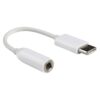
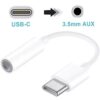
Description
The Problem – Samsung Removed the Headphone Jack
Samsung followed other manufacturers by removing the 3.5mm headphone jack from many Galaxy models. For example, the Galaxy S20 series was among the last to include it in some regions. Similarly, the S21, S22, S23, S24, and newer models rely solely on USB-C for audio. Furthermore, the popular Galaxy A series models have also eliminated the jack. As a result, millions of Samsung users cannot use their favourite wired earphones without a separate adapter. This USB-C to 3.5mm adapter solves that problem. Consequently, you can keep using your high-quality wired headphones with your new Samsung phone.
Designed for Samsung – Perfect Compatibility
Not all USB-C audio adapters work perfectly with Samsung phones. Some have compatibility issues with volume controls or produce static noise. This adapter is specifically designed for Samsung devices. Specifically, it works seamlessly with:
-
Samsung Galaxy S20, S20+, S20 Ultra
-
Samsung Galaxy S21, S21+, S21 Ultra
-
Samsung Galaxy S22, S22+, S22 Ultra
-
Samsung Galaxy S23, S23+, S23 Ultra
-
Samsung Galaxy S24, S24+, S24 Ultra
-
Samsung Galaxy A series (A53, A54, A55, A15, A25, and newer)
-
Samsung Galaxy Note 10, Note 20, and newer
-
Samsung Galaxy Z Fold and Z Flip series
Therefore, you can be confident that playback, microphone, and inline controls will work as expected. For instance, no “accessory not supported” error messages. Similarly, the volume buttons on your earphones function correctly. As a result, you get a frustration-free experience.
Built-in DAC Chip – High-Quality Audio
Cheap adapters simply pass a low-quality signal with no proper conversion. In contrast, this adapter contains a high-quality DAC (Digital to Analogue Converter) chip. Specifically, the DAC chip converts the digital audio from your phone into analogue sound that your headphones understand. Therefore, the audio quality is clear, detailed, and free from static or interference.
For instance, you will hear the full range of your music – from deep bass to sparkling treble. Similarly, phone calls sound natural and crisp. Furthermore, the DAC chip supports high-resolution audio formats. As a result, it is suitable for music streaming services like Apple Music, Spotify, Tidal, and Amazon Music HD.
Plug and Play – No Apps or Settings
Some audio accessories require enabling USB audio routing in developer settings. This adapter is different. It is truly plug and play. For example, just insert the USB-C end into your Samsung phone. Then plug your 3.5mm headphones into the adapter. Consequently, your phone immediately recognises the connection. There are no drivers, no apps, and no complex settings to adjust.
Furthermore, the adapter works with everything. For instance, music apps, video calls, gaming, podcasts, and streaming services all work perfectly. As a result, it is a seamless replacement for a built-in headphone jack.
Compact and Portable – Always in Your Pocket
This adapter is incredibly small. Specifically, it measures approximately 3-4 centimetres in length. Therefore, you can leave it attached to your headphones permanently. For example, plug the adapter into your earphones and leave it there. Similarly, keep it in your pocket, wallet, or phone case. As a result, you never have to search for a lost adapter.
The lightweight design adds almost no bulk. Consequently, it does not strain your phone’s USB-C port or feel awkward in your pocket.
No Charging, No Pairing, No Battery Drain
Bluetooth headphones have three major problems. First, they need charging. Second, they need pairing to each device. Third, they drain your phone’s battery faster. In contrast, this wired adapter requires none of that. For example, plugging in uses less power than Bluetooth. Similarly, there is no battery inside the adapter to run flat. Furthermore, there is no pairing process to deal with. As a result, it simply works every single time, immediately.
To illustrate, you never have to remember to charge your adapter before a long journey. Likewise, you never suffer the embarrassment of your Bluetooth earphones beeping and dying mid-call. Consequently, this simple wired adapter is simply more reliable for many situations.
Zero Latency – Perfect for Gaming and Video
Bluetooth introduces a slight delay (latency) between the video and the audio. For watching movies, many devices compensate for this. For gaming, it is a genuine problem. For example, in a fast-paced shooter, you hear the gunshot after you have already been hit. Similarly, in rhythm games, the beat is off. This adapter provides zero latency. Specifically, because it is a wired connection, the audio reaches your ears instantly. Therefore, it is perfect for:
-
Mobile gaming (Call of Duty Mobile, PUBG, Genshin Impact)
-
Video editing and production
-
Watching movies and YouTube
-
Video calls and conferencing
-
Live streaming
As a result, competitive gamers and video professionals prefer wired audio through an adapter like this.
Real Use Cases for Samsung UK Users
Consider a Samsung Galaxy S21 owner who owns a pair of wired earphones costing over £100. He loves the sound quality and does not want to buy Bluetooth alternatives. Accordingly, this adapter allows him to keep using his favourite earphones. He simply leaves the adapter attached to the earphone cable. Consequently, plugging in is as easy as it was with his old phone that had a headphone jack.
Similarly, a student uses their Samsung phone for online lectures and study. Bluetooth earphones require charging and sometimes disconnect at critical moments. This wired adapter provides reliable, always-ready audio. For instance, no more mid-lecture battery warnings. Similarly, no more pairing issues before an exam. As a result, they can focus on studying, not technology.
Furthermore, a car driver with an older vehicle has an AUX input but no Bluetooth. Most new Samsung phones cannot connect directly to older car stereos. This adapter solves that problem. For instance, they plug the USB-C end into their phone and the 3.5mm end into a standard aux cable connected to the car. Then they can play music, podcasts, or navigation directions through the car speakers. As a result, they get modern phone functionality in an older car without expensive upgrades.
Likewise, a gamer uses a Samsung phone for cloud gaming (Xbox Game Pass, GeForce Now). Bluetooth audio delay ruins the experience. This adapter provides zero-latency audio. Consequently, gunshots and footsteps are heard exactly when they happen, giving a competitive advantage.
Also Works with Laptops and Tablets
While designed for Samsung phones, this adapter also works with any USB-C laptop or tablet that supports audio output. For instance, connect it to a MacBook or Windows laptop to use wired headphones. Similarly, use it with an iPad Pro for private listening. As a result, one adapter serves all your USB-C devices.
Important Note – Does Not Support Charging
This adapter is for audio only. It does NOT allow you to charge your phone while using headphones. For simultaneous charging and audio, you would need a splitter adapter (USB-C to headphone jack + charging port). Therefore, if you need to charge and listen at the same time, look for a dedicated splitter adapter. As a result, choose the right adapter for your needs.
Microphone Support – Take Calls Normally
This adapter supports the built-in microphone on your wired headset. Specifically, if your headphones have an inline microphone, it works for phone calls. For example, answer a call, speak normally, and the person on the other end hears you clearly. Similarly, use voice assistants like Google Assistant or Bixby. As a result, you get full hands-free functionality.
Durable Construction – Built for Daily Use
This USB-C to 3.5mm adapter is built to last. Specifically, the connectors are reinforced to prevent fraying and breakage. The short cable segment is flexible but strong. Therefore, it withstands daily use, being coiled and uncoiled, tossed in bags, and plugged and unplugged repeatedly. For instance, it survives being left attached to headphones that are wrapped around a phone. As a result, it lasts far longer than cheaper alternatives.
This USB-C to 3.5mm AUX audio adapter for Samsung S20 S21 is supplied by Sellertree, a UK-based online seller of practical mobile and audio essentials.
BULLET POINTS
✅ Designed for Samsung – works perfectly with Galaxy S20, S21, S22, S23, S24, A series, and more
✅ Built-in DAC chip – delivers clear, high-quality audio without static or interference
✅ Plug and play – no drivers, apps, or settings required
✅ Zero latency – perfect for gaming, video calls, and movies
✅ No charging needed – passive design with no battery to run flat
✅ Compact and portable – tiny size, lives on your headphones or in your pocket
✅ Microphone support – take calls and use voice assistants with compatible headsets
✅ Universal USB-C compatibility – also works with laptops, tablets, and other USB-C devices
SPECIFICATIONS TABLE ABOUT USB-C to 3.5mm Adapter
| Feature | Detail |
|---|---|
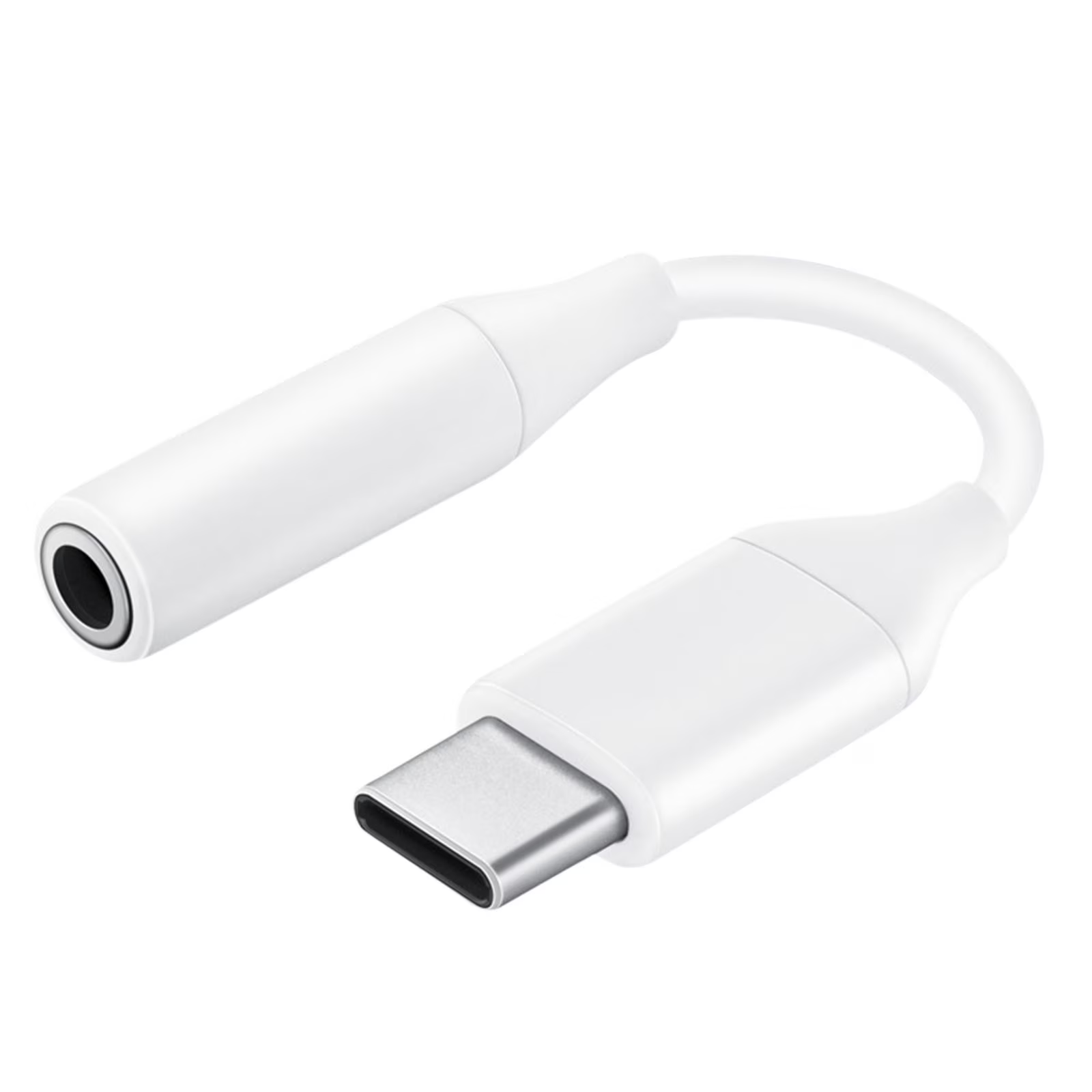
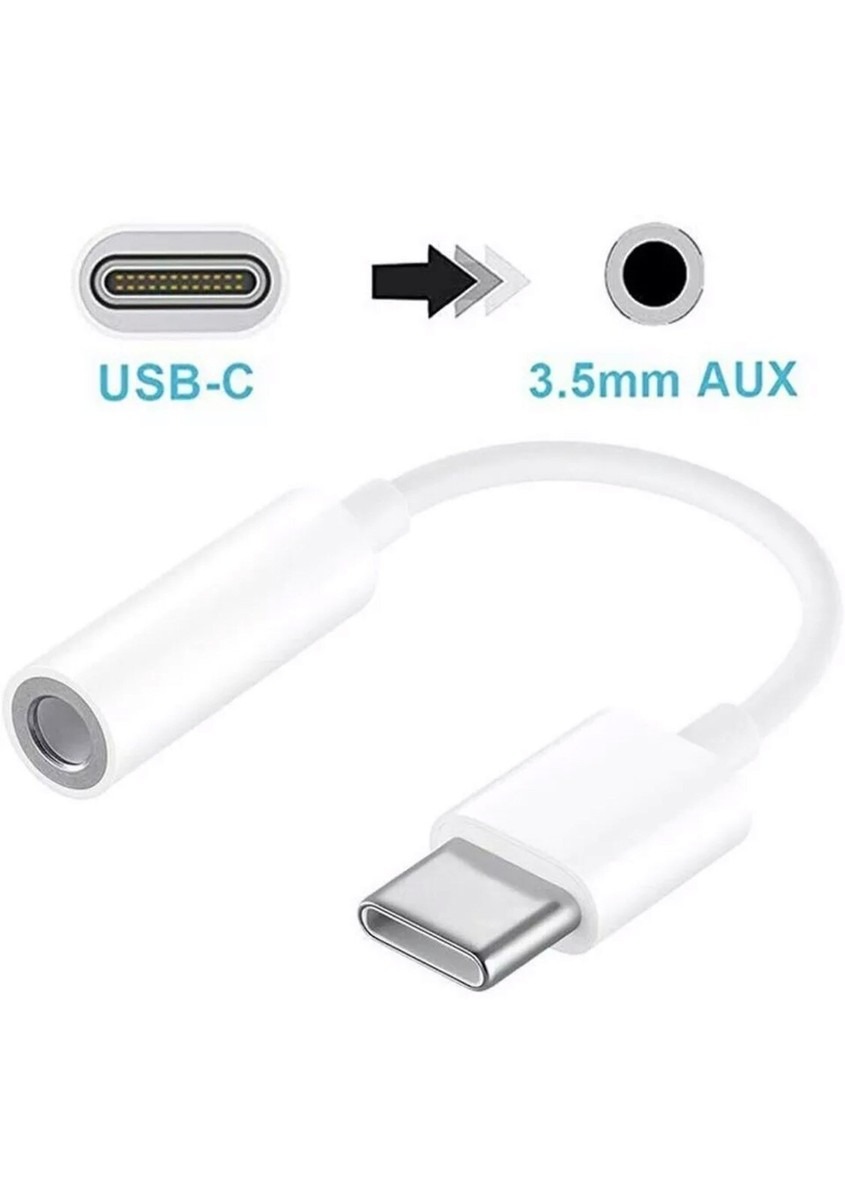
| Connector 1 | USB-C (male) |
| Connector 2 | 3.5mm audio jack (female) |
| DAC chip | Built-in high quality |
| Audio support | Stereo (left and right channels) |
| Microphone support | Yes (for headsets with inline mic) |
| Charging support | No (audio only) |
| Latency | Zero (wired connection) |
| Colour | White |
| Cable length | Approx. 8-15cm (short, strain-relieved) |
| Compatibility | Samsung Galaxy S20, S21, S22, S23, S24, A series, Note series, Z series, and most USB-C devices |
HOW TO USE THIS USB-C to 3.5mm Adapter
-
Insert the USB-C connector into your Samsung phone, tablet, or laptop’s USB-C port.
-
Plug your standard 3.5mm wired headphones, earphones, or aux cable into the adapter’s female jack.
-
For car use, plug the 3.5mm end into your vehicle’s AUX input via a standard aux cable.
-
Open your preferred music, podcast, calling, or gaming app as normal.
-
Audio will route automatically through the adapter – no settings to change.
-
Adjust volume using your phone’s buttons or your headphones’ inline controls.
-
When finished, unplug the adapter from your device. For convenience, leave it attached to your headphones.