


Description
The Problem – Mixed Households Need Multiple Cables
Many homes have a mix of Apple and Android devices. For example, one family member has an iPhone with Lightning, another has a Samsung Galaxy with USB-C. Similarly, an iPad Pro uses USB-C while AirPods still use Lightning. Furthermore, carrying separate cables for each device is bulky and expensive. As a result, chargers get lost, cables get tangled, and someone always has a dead battery. This Mcdodo 2-in-1 USB-C Cable solves that problem. Consequently, one cable serves both Lightning and USB-C devices.
Smart 2-in-1 Design – Built-in Adapter
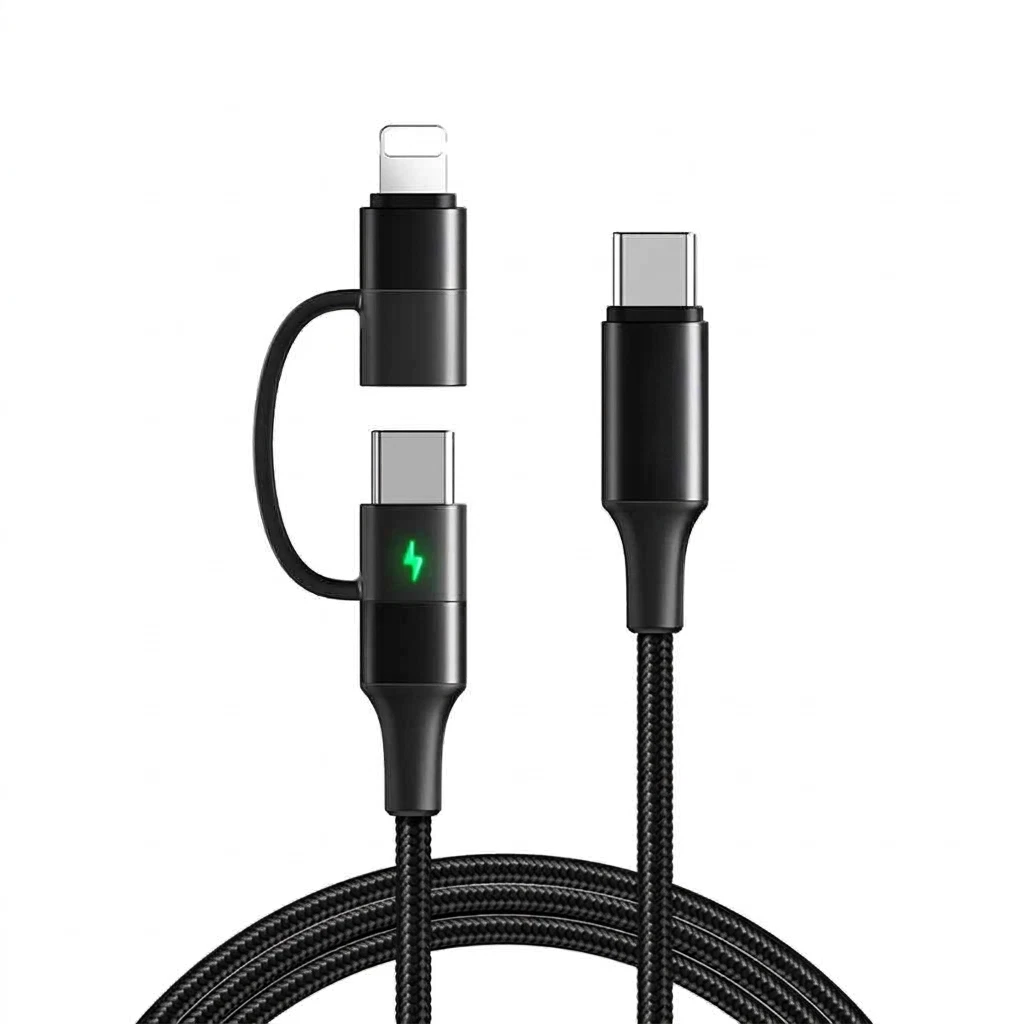
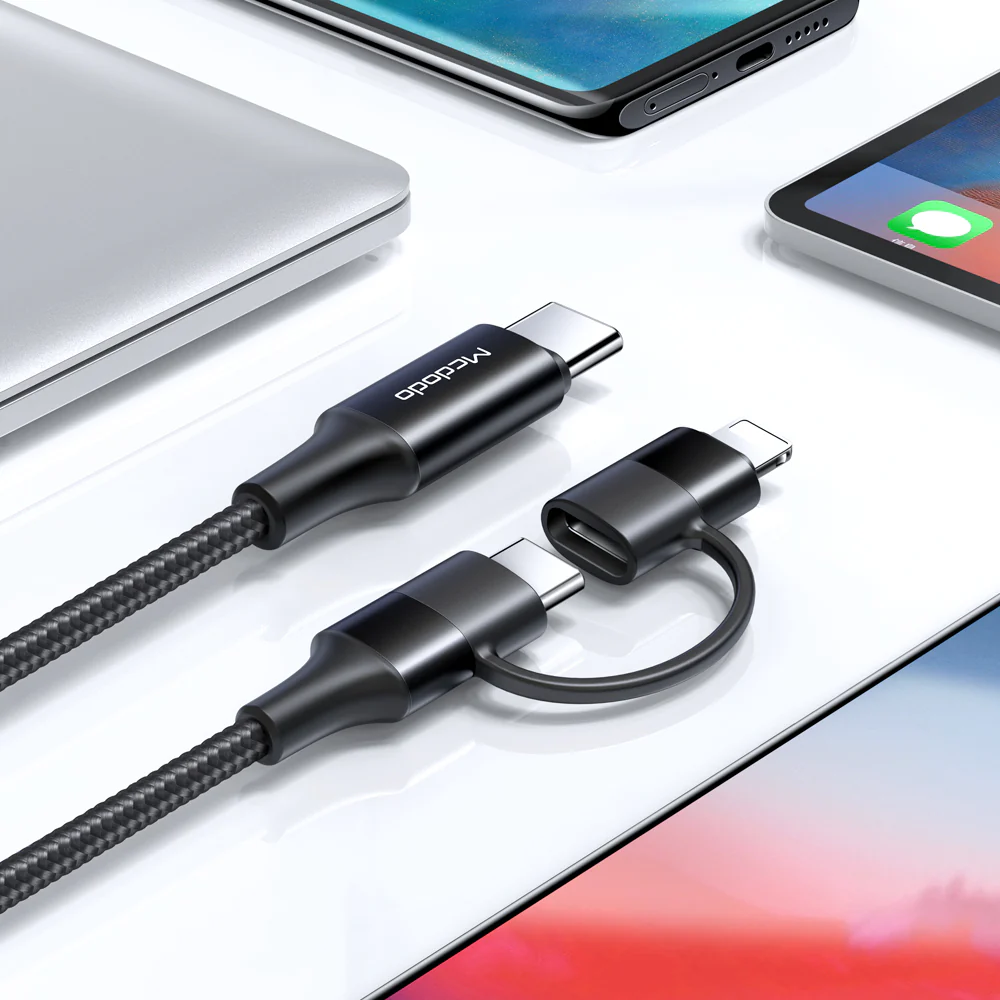
The genius of this cable lies in its integrated design. Specifically, the main cable ends in a USB-C connector. However, attached to that connector is a small, removable Lightning adapter. Therefore, you can use the cable in two ways:
-
As a USB-C to USB-C cable – when you remove the Lightning adapter
-
As a USB-C to Lightning cable – when you leave the adapter attached
For example, charge your iPad Pro (USB-C) directly. Then pop the Lightning adapter onto the end to charge your iPhone. Similarly, switch between your Samsung phone and your AirPods case. As a result, you only carry one cable for all your devices.
Mcdodo Quality – Trusted Brand
Mcdodo is a well-regarded brand in the charging accessories market. Specifically, they are known for innovative designs and reliable construction. Therefore, you can trust this cable to perform safely and consistently. For instance, built-in smart chips regulate power delivery to prevent overcharging. Similarly, the connectors are reinforced to withstand daily use. As a result, you get a premium product at a sensible price.
Nylon Braided Exterior – Durable and Tangle-Resistant
Cheap cables fray and break. In contrast, this Mcdodo cable features a tightly woven nylon braided jacket. Specifically, the braided exterior resists bending, twisting, and everyday wear. Therefore, it survives being tossed in bags, wrapped around power banks, and plugged and unplugged thousands of times. For example, no more exposed wires or electrical tape repairs. Similarly, the braided texture is smooth and resists tangling. As a result, it stays organised and reliable for years.
Fast Charging Support – Power Up Quickly
Some multi-cables charge slowly. This one is different. It supports fast charging on both connector types. Specifically:
-
USB-C to USB-C – supports Power Delivery (PD) up to 60W, enough for phones, tablets, and even laptops
-
USB-C to Lightning (with adapter) – supports fast charging for iPhone 8 and newer (0-50% in 30 minutes with compatible charger)
Therefore, your devices charge at their maximum rated speed. For instance, charge a Samsung Galaxy or Google Pixel at full speed. Similarly, an iPhone charges at optimised fast charge rates. As a result, you wait less and do more.
Data Sync Capable – Transfer Files Too
This cable is not just for charging. It also supports high-speed data transfer. Specifically, it handles USB 2.0 speeds up to 480Mbps. Therefore, you can sync photos, music, and files between your device and a computer. For example, transfer a day’s worth of photos from your iPhone to your MacBook. Similarly, load music onto your Android phone from a Windows PC. As a result, one cable serves both power and data needs.
Built-in Adapter Storage – No More Lost Tips
Loose adapters are easy to lose. This Mcdodo cable solves that problem. Specifically, the Lightning adapter attaches securely to the USB-C end. Therefore, it stays with the cable at all times. For instance, when using the cable as USB-C to USB-C, the adapter hangs on the cable, ready for use. Similarly, when using it as USB-C to Lightning, the adapter is firmly attached. As a result, you never lose the small, expensive adapter.
Real Use Cases for UK Users
Consider a commuter who carries a work iPhone and a personal Android phone. Previously, they needed two separate cables. If they forgot one, a device would die. This Mcdodo 2-in-1 cable has both connectors built in. Accordingly, both phones stay charged from one cable. For instance, charge the Android directly, then attach the adapter to charge the iPhone. As a result, they arrive at work with fully powered devices.
Similarly, a student owns an iPad Pro (USB-C) and AirPods (Lightning). They also have a USB-C power bank. This single cable charges all three. For example, charge the iPad from the power bank. Then attach the adapter to charge the AirPods. Consequently, their bag is lighter and more organised.
Furthermore, a family on holiday packs multiple devices. Mum has an iPhone (Lightning), Dad has a Samsung (USB-C), and the kids share an iPad (USB-C). Instead of packing two or three cables, they pack one Mcdodo cable. For instance, everyone takes turns charging. Similarly, the cable works in the hotel room, the airport, and the rental car. As a result, family holidays are less stressful.
Likewise, a photographer carries a USB-C laptop, a USB-C camera, and an iPhone. One Mcdodo cable charges all three. Charge the laptop from a power bank, then use the same cable to transfer photos from the camera, then attach the adapter to charge the iPhone. Consequently, the photographer’s kit is streamlined and efficient.
Universal Compatibility – Works with Almost Everything
This Mcdodo 2-in-1 cable works with an enormous range of devices.
As USB-C to USB-C (adapter removed):
-
Samsung Galaxy S8 to S24 and newer
-
Google Pixel series
-
OnePlus, Xiaomi, Huawei, Sony
-
iPad Pro, iPad Air, iPad mini (USB-C models)
-
MacBook Air and MacBook Pro (USB-C models)
-
Nintendo Switch
-
Most modern Android phones and tablets
-
USB-C power banks and portable chargers
As USB-C to Lightning (adapter attached):
-
iPhone 5 through iPhone 14 series (iPhone 15/16 use USB-C)
-
iPad (Lightning models), iPad mini, iPad Air (older)
-
AirPods (1st, 2nd gen, Pro 1st gen)
-
Magic Mouse, Magic Keyboard, Magic Trackpad (Lightning models)
For example, this single cable works with your new Samsung Galaxy, your older iPhone, and your iPad Pro. As a result, it is future-proof for your current and older devices.
Compact and Portable – Travel Friendly
The 2-in-1 design means one cable instead of two. Therefore, it takes up half the space in your bag. For instance, coil it neatly and secure with the included Velcro strap. Similarly, the nylon braided exterior resists tangles during travel. As a result, it is the perfect companion for business trips, holidays, and daily commuting.
Important Note – One Connector at a Time
While this cable has two connector options, it is designed to charge one device at a time. Specifically, you cannot charge a USB-C device and a Lightning device simultaneously. Therefore, connect only one device at a time for best results. For instance, charge your iPhone, then remove the adapter to charge your iPad. As a result, each device charges at full speed.
What About the CA-7120 Model Number?
The CA-7120 is Mcdodo’s model number for this specific 2-in-1 cable. Therefore, you can be confident you are getting the genuine product. For example, it includes all the features described: nylon braiding, fast charging support, and the integrated Lightning adapter. As a result, you know exactly what you are buying.
This Mcdodo CA-7120 2-in-1 USB-C to Lightning & Type-C cable is supplied by Sellertree, a UK-based online seller of practical mobile and tech essentials.
BULLET POINTS
✅ 2-in-1 design – works as USB-C to USB-C or USB-C to Lightning with built-in adapter
✅ Mcdodo quality – trusted brand with smart chip technology for safe charging
✅ Nylon braided exterior – durable, tangle-resistant, and built to last
✅ Fast charging support – PD up to 60W (USB-C) and fast charge for iPhone 8+
✅ Data sync capable – transfer photos, music, and files at up to 480Mbps
✅ Adapter storage – Lightning tip attaches to cable when not in use, never lose it
✅ Multiple lengths – available in 1m, 1.5m, or 2m to suit your needs
✅ Universal compatibility – charges iPhones, Samsung, Pixel, iPad, Nintendo Switch, and more
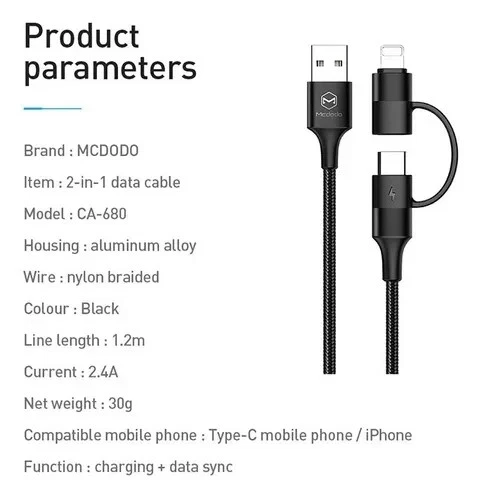
SPECIFICATIONS TABLE ABOUT Mcdodo 2-in-1 USB-C Cable
| Feature | Detail |
|---|---|
| Brand / model | Mcdodo CA-7120 |
| Cable type | 2-in-1 USB-C to Lightning & USB-C |
| Main connector | USB-C (male) |
| Secondary connector | Lightning (via detachable adapter) |
| Cable material | Nylon braided exterior |
| Max charging power (USB-C to USB-C) | Up to 60W (PD compatible) |
| Max charging power (USB-C to Lightning) | Fast charge compatible (iPhone 8+) |
| Data transfer speed | Up to 480Mbps (USB 2.0) |
| Length options | 1m, 1.5m, 2m |
| Colour | Black |
| Adapter storage | Attaches to cable when not in use |
| Compatibility | Lightning devices (iPhone 5-14, AirPods) + USB-C devices (Android phones, iPad Pro, Switch, etc.) |
HOW TO USE THIS Mcdodo 2-in-1 USB-C Cable
-
For USB-C to USB-C charging: Remove the Lightning adapter from the cable end (set it aside or let it hang on the cable).
-
Plug the USB-C end into a USB-C charger, power bank, or computer.
-
Plug the main cable end (now USB-C) into your USB-C device.
-
For USB-C to Lightning charging: Ensure the Lightning adapter is attached to the cable end.
-
Plug the USB-C end into a charger, then plug the Lightning adapter into your iPhone or Lightning device.
-
For data transfer, connect both ends to your computer and device as described above.
-
When finished, unplug by gripping the connectors – not the cable itself.