


Description
The Problem – Modern Laptops Can’t Connect to Older VGA Displays
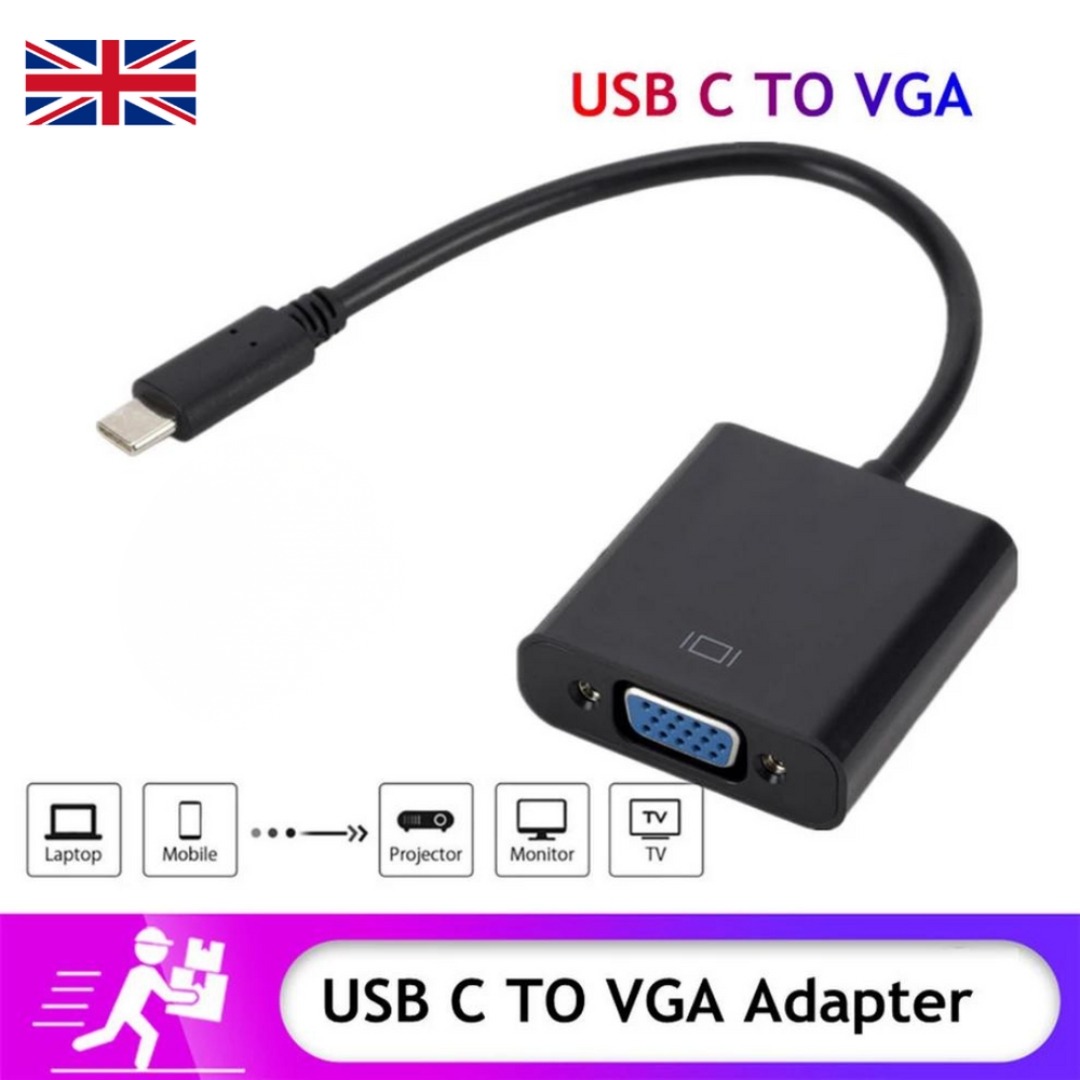
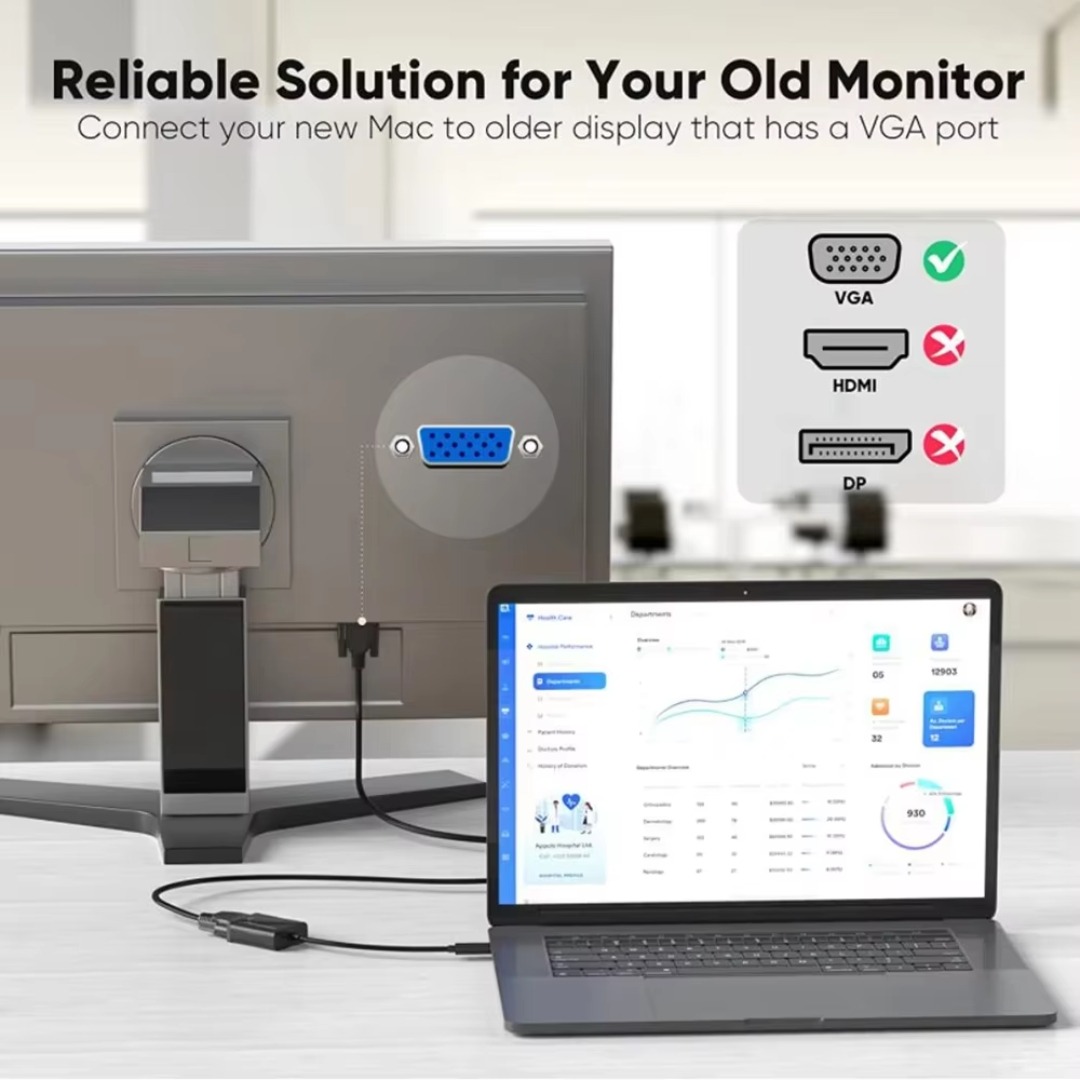
This Type C to VGA adapter solves that problem. Consequently, you can connect your USB-C laptop, MacBook, or PC to any VGA projector or monitor.
USB-C to VGA Conversion – Simple and Reliable (Type C to VGA Adapter)
This adapter converts digital USB-C signals to analogue VGA. Specifically, it takes the video output from your USB-C port and converts it to VGA format. Therefore, your modern laptop works with older displays. For instance, connect your MacBook to a classroom projector. Connect your Dell laptop to an older office monitor. As a result, you are never stuck without a connection.
The adapter supports plug-and-play functionality. Consequently, no complicated setup or drivers required.
Plug and Play – No Drivers or Software Required
Some adapters require driver installation. This adapter is truly plug and play. Specifically, no drivers, no apps, and no configuration. Therefore, you simply plug it in and it works instantly. For instance, connect the USB-C end to your laptop. Connect a VGA cable (not included) to the adapter and display. Select the correct input on your projector or monitor. As a result, your screen appears immediately.
The adapter works with Windows, Mac, and Chrome OS. Consequently, no operating system restrictions.
Compatible with Laptops, MacBooks, and USB-C Devices (Type C to VGA Adapter)
This adapter works with a vast range of USB-C devices. Specifically, it is compatible with:
-
Laptops – MacBook, MacBook Pro, MacBook Air, Dell XPS, HP Spectre, Lenovo Yoga, Microsoft Surface
-
PCs – Any desktop or laptop with USB-C port supporting video output
-
Tablets – iPad Pro (USB-C models), Samsung Galaxy Tab
-
Phones – Samsung Galaxy S and Note series (with video output support)
For example, connect your MacBook Pro to a VGA projector for a presentation. Connect your Dell laptop to an older VGA monitor as a second screen. As a result, one adapter serves all your USB-C devices.
Two Colour Options – Black and White (Type C to VGA Adapter)
This adapter is available in two classic colours. Specifically, black and white. Therefore, you can choose the colour that matches your laptop or personal style. For instance, black is professional and discreet, ideal for business settings. White is clean and modern, matching Apple MacBooks perfectly. As a result, your adapter looks good while it works hard.
Both colours have the same features and durability. Consequently, the choice is purely aesthetic.
Compact and Portable – Carry It Anywhere
The adapter is tiny and lightweight. Specifically, it is about the size of a USB flash drive. Therefore, it fits easily in a laptop bag, briefcase, or even a pocket. For instance, keep it in your work bag for presentations. Keep it in your travel kit for hotel or client site connections. As a result, you always have it when you need it.
The cable is short but durable. Consequently, it does not add bulk to your carry.
Real Use Cases for UK Professionals and Educators
Consider a teacher in a UK secondary school. The classroom has an older projector mounted on the ceiling. It only has a VGA input. The school provides new laptops for staff, but the laptops have only USB-C ports. Without an adapter, the teacher cannot show slides or videos. This Type C to VGA adapter solves the problem. The teacher plugs it into their laptop. They connect the existing VGA cable from the projector. The lesson continues without technical delays. As a result, students receive the education they deserve.
Similarly, a business consultant visits client offices across the UK. Many client meeting rooms have older VGA projectors or displays. They cannot rely on HDMI being available. They carry this compact VGA adapter in their laptop bag. When they arrive, they connect their MacBook to the client’s VGA display in seconds. The plug-and-play design impresses the client. As a result, they deliver professional presentations anywhere.
Furthermore, a small business owner has an older VGA monitor as a second screen in their office. It works perfectly, but their new laptop has only USB-C ports. Instead of buying a new monitor, they buy this adapter. They connect the adapter to their laptop. They connect the monitor’s VGA cable to the adapter. They now have a dual-screen setup for free. As a result, they save money and increase productivity.
Supports 1080P Resolution – Clear Picture Quality (Type C to VGA Adapter)
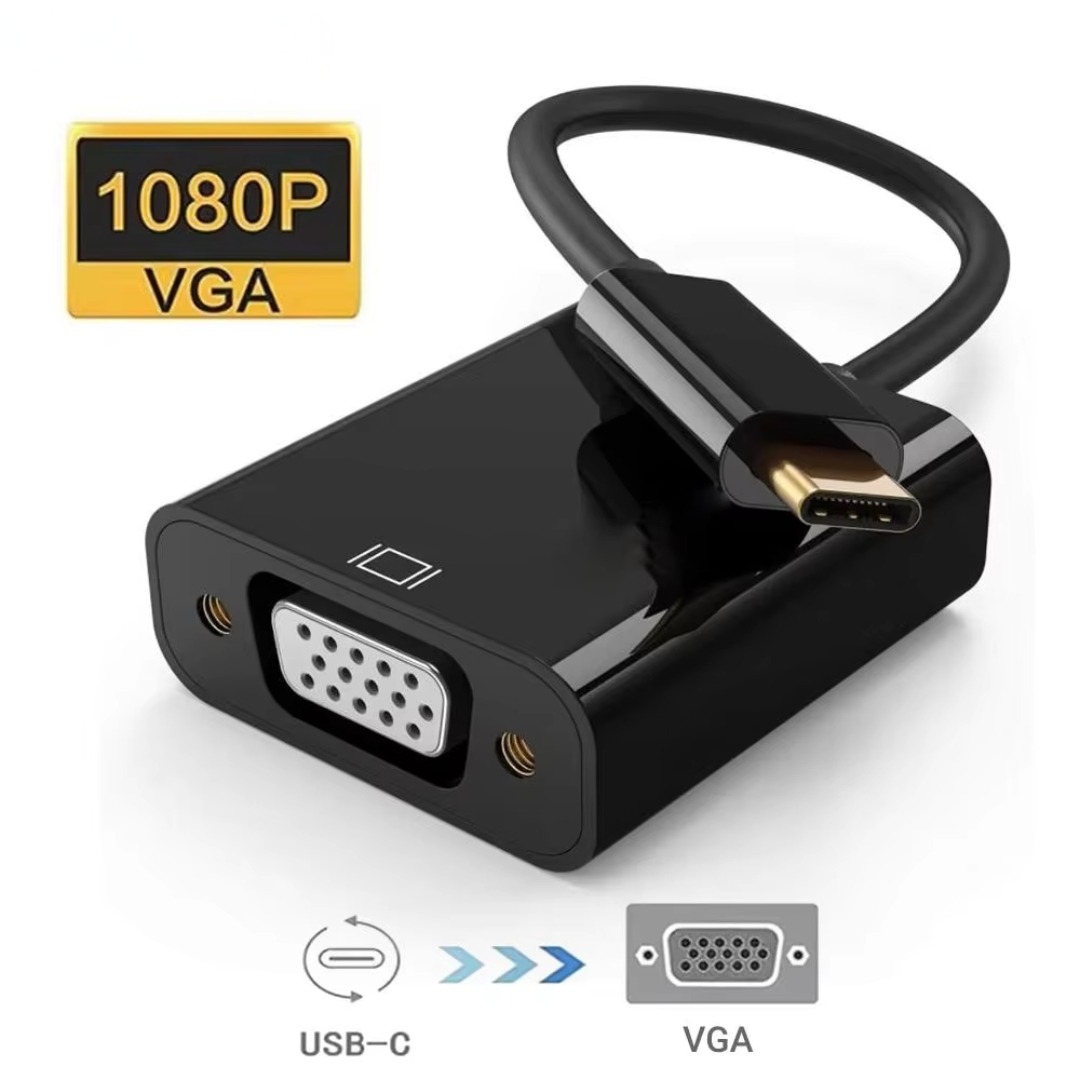
This adapter supports up to 1080P (Full HD) resolution. Specifically, it handles 1920×1080 at 60Hz. Therefore, your presentations, videos, and documents look sharp and clear. For instance, show detailed spreadsheets. Display high-resolution photos. Watch training videos. As a result, your content looks professional.
Lower resolutions like 720P and 480P are also supported. Consequently, it works with any VGA display.
Extended Display – Mirror or Expand Your Screen
This adapter supports two display modes. Specifically, you can mirror your device screen or extend your desktop. Therefore, you have flexibility depending on your needs. For instance, mirror your laptop screen to a projector for a presentation. Extend your desktop to a second monitor for multitasking. As a result, you are more productive and effective.
The extended display mode is perfect for designers and coders. Consequently, have code on one screen and the output on another.
No External Power Needed – Powered by Your Device
Some adapters require external power. This adapter is powered directly from your USB-C device. Specifically, it draws minimal power. Therefore, no extra cables or wall sockets are needed. For instance, just plug it into your laptop. It works immediately. As a result, setup is clean and simple.
For laptops, the power draw is negligible. Consequently, no noticeable battery drain.
Durable Construction – Built to Last (Type C to VGA Adapter)
Cheap adapters break after a few uses. This adapter is built differently. Specifically, the housing is made from durable aluminium or high-quality plastic. The USB-C connector is reinforced. The VGA connector is sturdy. Therefore, it withstands daily plugging and unplugging. For instance, use it every day for work. It will not crack or loosen. As a result, you get long-lasting performance.
The cable is also reinforced at the joints. Consequently, no fraying or internal breaks.
Wide Compatibility – Check Your Device First
While most USB-C devices support video output, some do not. Specifically, devices with USB-C 2.0 ports may only support charging, not video. Therefore, check your device specifications before purchasing. For instance, some budget laptops and phones have USB-C 2.0. They will not work with any video adapter. As a result, verify compatibility.
The adapter works with all devices that support DisplayPort Alt Mode over USB-C. Consequently, most modern laptops and flagship devices are compatible.
Great for Presentations – Professional and Reliable
Business and educational presentations require reliability. This adapter is trusted by professionals. Specifically, it works every time you plug it in. Therefore, no awkward delays while everyone waits. For instance, walk into a meeting room. Plug the adapter into your laptop. Connect the VGA cable. Your slides appear instantly. As a result, you look prepared and professional.
The compact size means you can always carry it. Consequently, you are never caught without the right connector.
Affordable – One Adapter for All Your USB-C Devices (Type C to VGA Adapter)
Buying separate adapters for each device is expensive. This one adapter works with all your USB-C devices. Specifically, use it for your laptop, tablet, and any other USB-C device with video output. Therefore, you save money. For instance, one adapter serves your MacBook, Dell laptop, and iPad Pro. As a result, you do not need multiple adapters.
The two colour options allow personalisation. Consequently, choose black for business or white for Apple devices.
VGA Cable Not Included – Use Your Existing Cable
Please note that this adapter requires a standard VGA cable (not included). Specifically, the adapter has a female VGA port. Therefore, you need a male-to-male VGA cable to connect to your display. For instance, most projectors and monitors already have VGA cables attached. Use the existing cable. As a result, you do not need to buy anything extra.
If you need a VGA cable, they are widely available and inexpensive. Consequently, a complete setup is easy to assemble.
Perfect for Legacy Equipment – Extend the Life of Old Displays
Replacing all VGA displays with new HDMI monitors is expensive. This adapter lets you keep using your existing equipment. Specifically, connect modern laptops to old VGA monitors, projectors, and TVs. Therefore, you save money and reduce electronic waste. For instance, keep that old classroom projector working for years. Keep that second office monitor in service. As a result, you get more value from your existing hardware.
The adapter is a small investment that protects larger investments. Consequently, wise budget management.
No Lag – Perfect for Presentations and Video (Type C to VGA Adapter)
Wireless streaming can have lag. This wired adapter has no lag. Specifically, the video signal is transmitted directly. Therefore, it is perfect for presentations where timing matters. For instance, click to the next slide. It appears instantly. Watch a training video. No lip-sync issues. As a result, you get a smooth, responsive experience.
The 1080P 60Hz support ensures smooth motion. Consequently, no stuttering or tearing.
This Type C to VGA adapter cable USB-C to VGA for laptop MacBook PC monitor projector is supplied by Sellertree, a UK-based online seller of practical connectivity and AV essentials.
BULLET POINTS
✅ USB-C to VGA conversion – connect modern laptops to older VGA displays
✅ Plug and play – no drivers, no software, instant connection
✅ Supports 1080P resolution – clear, sharp picture quality
✅ Extended display – mirror or expand your screen for multitasking
✅ Two colours – black or white to match your style
✅ Compact and portable – fits in laptop bag or pocket
✅ No external power needed – powered by your USB-C device
✅ Wide compatibility – MacBook, Dell XPS, HP, Lenovo, iPad Pro, and more
SPECIFICATIONS TABLE
| Feature | Detail |
|---|---|
| Product type | USB-C to VGA adapter |
| Input | USB-C (male) |
| Output | VGA (female) |
| Max resolution | 1080P (1920×1080 @ 60Hz) |
| Also supports | 720P, 480P, lower resolutions |
| Plug and play | Yes – no drivers required |
| Power | Powered by USB-C device |
| Compatibility | USB-C devices with DisplayPort Alt Mode |
| Colours | Black, White |
| VGA cable | Not included (use existing cable) |
HOW TO USE (Type C to VGA Adapter)
-
Plug the USB-C end of the adapter into your laptop, MacBook, or tablet.
-
Connect a standard VGA cable (not included) to the adapter’s VGA port.
-
Connect the other end of the VGA cable to your projector, monitor, or display.
-
Select the correct VGA input on your display (often labelled “PC” or “Computer”).
-
Your device screen will appear on the display.
-
To adjust display mode (mirror or extend), use your device’s display settings.



Reviews
There are no reviews yet.