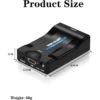
Description
The Problem – Modern TVs No Longer Have SCART Inputs
Modern televisions have abandoned SCART connections entirely. For example, a Sky Box from the 2000s has only a SCART output, but a new 4K TV has only HDMI inputs. Similarly, older DVD players, VCRs, and retro gaming consoles cannot connect directly to modern screens. Furthermore, many people have valuable recordings on old VHS tapes or classic game collections they want to enjoy. As a result, perfectly functional devices are left unused in lofts and cupboards. This SCART to HDMI converter solves that problem. Consequently, you can bring your old devices back to life on your modern TV.
Converts Analog SCART to Digital HDMI
This converter takes analog SCART signals and converts them to digital HDMI. Specifically, it accepts the composite video and stereo audio from your SCART device. It then processes and upscales the signal to HDMI format. Therefore, your old VCR, DVD player, or retro console can connect to any modern TV with an HDMI port. For instance, watch old home videos from your VCR on a 4K TV. Play classic PlayStation 2 games on a large flatscreen. As a result, your old media collection becomes accessible again.
The conversion maintains audio synchronization. Consequently, no lip-sync issues.
Selectable Output Resolutions – 720p or 1080p
Different displays work best at different resolutions. This converter features a physical switch that lets you choose between 720p and 1080p output. Therefore, you can match the output to your TV’s capabilities. For instance, select 720p for older flat-screen TVs or for smoother performance. Select 1080p for Full HD displays for the sharpest possible picture. As a result, you get the best image quality for your specific TV.
The switch is easy to access on the housing. Consequently, you can change resolutions without any tools.
Black Plastic Housing – Durable and Lightweight
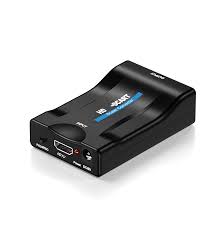
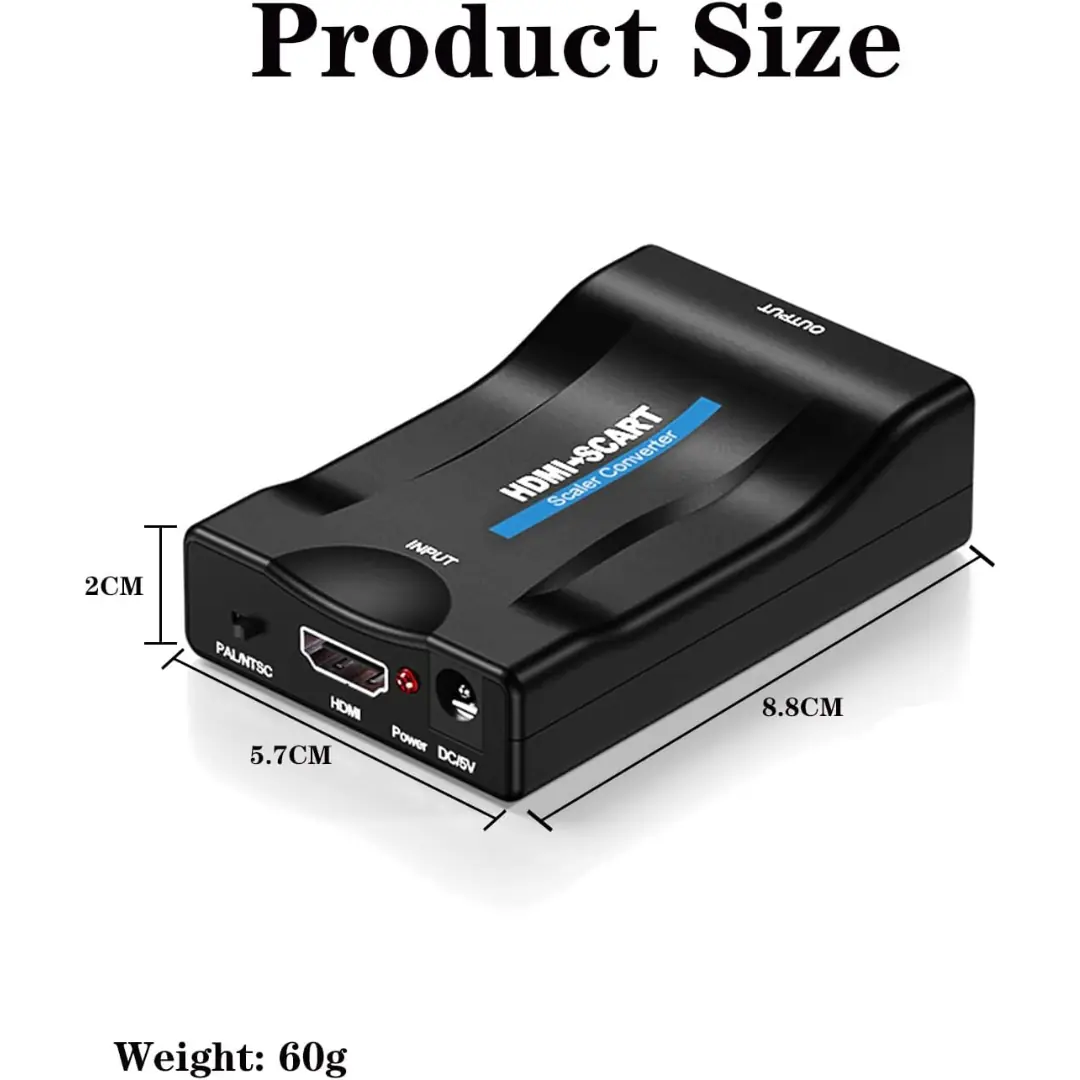
The converter is housed in a durable black plastic case. Specifically, the plastic is impact-resistant and lightweight. Therefore, it protects the internal electronics while being easy to position behind your TV. For instance, tuck it next to your Sky Box or DVD player. Similarly, place it on a shelf without worrying about scratches or damage. As a result, the converter is both functional and unobtrusive.
The black colour blends with most AV equipment. Consequently, it does not stand out in your media cabinet.
Plug and Play – No Drivers or Software Required
Some converters require complicated setup. This converter is truly plug and play. Specifically, no drivers, no software, and no complex settings. Therefore, you simply connect the cables and turn it on. For instance, plug the SCART cable from your device into the converter. Connect an HDMI cable from the converter to your TV. Connect the USB power cable. As a result, your old device appears on your modern TV instantly.
The converter automatically detects the input signal. Consequently, no manual configuration needed.
USB Powered – No Extra Wall Socket Required
The converter is powered via USB. Specifically, it comes with a USB power cable (adapter not always included). Therefore, you can power it from your TV’s USB port, a phone charger, or a computer. For instance, plug it into the USB port on your TV. The converter turns on when the TV turns on. As a result, no extra wall sockets are needed and setup is cleaner.
Check your TV’s USB port for power output. Consequently, ensure it provides sufficient power.
Real Use Cases for UK Homes
Consider a family who has a box of old VHS tapes in the loft. They have a VCR that still works. Their new TV has no SCART input. They buy this SCART to HDMI converter. They connect the VCR’s SCART output to the converter. They connect the converter to their TV via HDMI. They select 1080p output for the best picture. They press play on the VCR. The old home videos appear on their 4K TV. As a result, they relive precious memories without buying expensive digitisation services.
Similarly, a retro gamer owns an original PlayStation 2 and a collection of classic games. Their modern TV only has HDMI ports. They try to connect the PS2 using cheap composite cables, but the picture is terrible. They buy this SCART to HDMI converter. The SCART output from the PS2 provides a better signal than composite. The converter upscales it to 1080p. They switch to 720p if the image is unstable. As a result, they play their favourite games with clear, playable video quality.
Furthermore, someone has an old Sky+ box with recordings of TV shows that never made it to streaming services. The box still works. They want to watch those shows again. They connect the Sky Box to the converter. The black plastic housing sits discreetly behind the TV. The USB power runs from the TV’s USB port. They select 1080p output. The picture appears clearly. As a result, they enjoy nostalgia without a subscription.
Wide Compatibility – Works with Various SCART Devices
This SCART to HDMI converter is compatible with many devices. Specifically, it works with:
-
Sky Box (standard definition)
-
DVD players (standard definition)
-
VCR / VHS players
-
Retro gaming consoles (PS1, PS2, original Xbox, N64, SNES, Sega)
-
Set-top boxes
-
Camcorders with SCART output
-
Any device with SCART output
For example, connect a vintage camcorder to watch family films. Connect a retro console for gaming nights. As a result, it is a versatile tool for any home.
Supports Audio – Stereo Sound Through HDMI
This converter handles both video and audio. Specifically, the SCART input carries stereo audio along with the video signal. Therefore, you get full sound through your TV’s speakers. For instance, the game sound from your PlayStation 2 comes through clearly. Similarly, the dialogue from old VHS tapes is audible. As a result, you do not need separate audio cables.
The audio is synchronised with the video. Consequently, no lip-sync issues.
720p vs 1080p – Which to Choose?
The resolution switch gives you flexibility. Specifically:
-
720p – Use this if your TV is older or if you experience picture instability. 720p is less demanding and can be smoother for fast-moving content.
-
1080p – Use this for the sharpest picture on Full HD and 4K TVs. Provides more detail but may be less stable with some source devices.
For example, try 1080p first. If the picture flickers or cuts out, switch to 720p. As a result, you can always find a stable setting.
Compact and Portable – Easy to Move
The converter is small and lightweight. Specifically, it is about the size of a deck of cards. Therefore, it fits easily behind your TV or next to your old device. For instance, keep it connected to your VCR permanently. Alternatively, take it to a friend’s house to connect your old console. As a result, it is convenient for permanent or temporary setups.
The USB power means no heavy power brick to carry. Consequently, it travels well.
Simple Setup – Step by Step
Setting up the converter takes minutes. First, connect your SCART device to the converter using a SCART cable (not included). Second, connect an HDMI cable (not included) from the converter to your TV. Third, connect the USB power cable to the converter and to a USB power source (TV USB port or phone charger). Fourth, set the resolution switch to 720p or 1080p. Fifth, turn on your SCART device and set your TV to the correct HDMI input. The picture should appear immediately. As a result, you are ready to enjoy your old content.
If the picture does not appear, check that all cables are securely connected. Consequently, troubleshoot simple issues first.
No Region Lock – Works with UK and European SCART
SCART is a European standard. This converter works with SCART signals from the UK and across Europe. Specifically, it supports PAL video format, which is used in the UK. Therefore, it is suitable for British devices. For instance, a UK Sky Box works perfectly. Similarly, a DVD player bought in France will work. As a result, it is ideal for UK users.
If you have devices from other regions, check compatibility. Consequently, verify your device’s video format.
Compact Design – Fits Behind Your TV
The black plastic housing is designed to be unobtrusive. Specifically, it is small enough to tuck behind your TV or next to your media cabinet. Therefore, it does not add clutter to your entertainment setup. For instance, use double-sided tape to attach it to the back of your TV. Place it on a shelf next to your VCR. As a result, the converter is hidden from view.
The short USB power cable is also easy to manage. Consequently, no messy wires.
Important Note – Not for HD SCART Sources
This converter is for standard definition SCART signals. Specifically, it will not improve the quality of an HD signal. Therefore, if your Sky Box already has HDMI output, use that instead. For instance, Sky+ HD boxes have HDMI ports. This converter is for older, standard definition Sky boxes. As a result, manage your expectations accordingly.
The converter upscales, but it cannot add detail that was not there. Consequently, old content will look like old content, just on a modern screen.
Affordable Solution – No Need to Replace Old Devices
Replacing a Sky Box, DVD player, or retro console can cost hundreds of pounds. This converter costs a fraction of that. Specifically, it allows you to keep using the devices you already own. Therefore, it is an economical choice. For instance, keep your old DVD collection playable. Continue using your classic games console. As a result, you save money and reduce electronic waste.
The selectable 720p/1080p output ensures compatibility with any modern TV. Consequently, no need to upgrade your display.
Great for Retro Gaming – PS2, SNES, Sega
Retro gaming enthusiasts appreciate this converter. Specifically, it allows modern HDMI consoles to connect to old CRT monitors and TVs. For instance, a PS2 connected to a modern TV via this converter gives a clean, playable image. Similarly, a SNES or Sega Mega Drive works well. As a result, you get the best of both worlds: classic games on modern displays.
The 720p setting is often more stable for fast-paced retro games. Consequently, experiment to find the best setting.
This SCART to HDMI converter with black plastic housing and selectable 720p/1080p output is supplied by Sellertree, a UK-based online seller of practical connectivity and AV essentials.
BULLET POINTS
✅ SCART to HDMI – connect old devices to modern TVs with HDMI input
✅ Selectable resolution – switch between 720p and 1080p output
✅ Black plastic housing – durable, lightweight, discreet
✅ Plug and play – no drivers, no software, easy setup
✅ Works with Sky Box, DVD, VCR, retro consoles, camcorders
✅ Audio and video conversion – complete signal with synchronised sound
✅ USB powered – use TV USB port or phone charger
✅ Compact design – fits behind TV or in media cabinet
SPECIFICATIONS TABLE ABOUT SCART to HDMI Converter
| Feature | Detail |
|---|---|
| Product type | SCART to HDMI converter |
| Input | SCART (female) |
| Output | HDMI (female) |
| Output resolutions | 720p or 1080p (selectable via switch) |
| Housing | Black plastic |
| Power | USB (cable included, adapter not always included) |
| Audio support | Yes (stereo via SCART) |
| Video format | PAL (UK/Europe) |
| Plug and play | Yes – no drivers required |
| Compatible with | Sky Box, DVD, VCR, retro consoles, STB, camcorders |
HOW TO USE THIS SCART to HDMI Converter
-
Connect your SCART device (Sky Box, DVD player, VCR, console) to the converter using a SCART cable (not included).
-
Connect an HDMI cable (not included) from the converter to an HDMI port on your TV.
-
Connect the USB power cable to the converter and to a USB power source (TV USB port, phone charger, or computer).
-
Set the resolution switch to 720p or 1080p (try 1080p first, switch to 720p if unstable).
-
Turn on your SCART device.
-
Set your TV to the correct HDMI input.
-
The picture should appear immediately. Adjust TV aspect ratio if needed (4:3 for old content, 16:9 for widescreen).