Description
The Problem – You Can Only Connect One Display Per HDMI Port
This 4K HDMI splitter solves that problem. Consequently, you can send one source to two displays simultaneously.
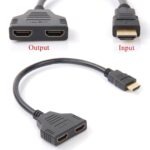
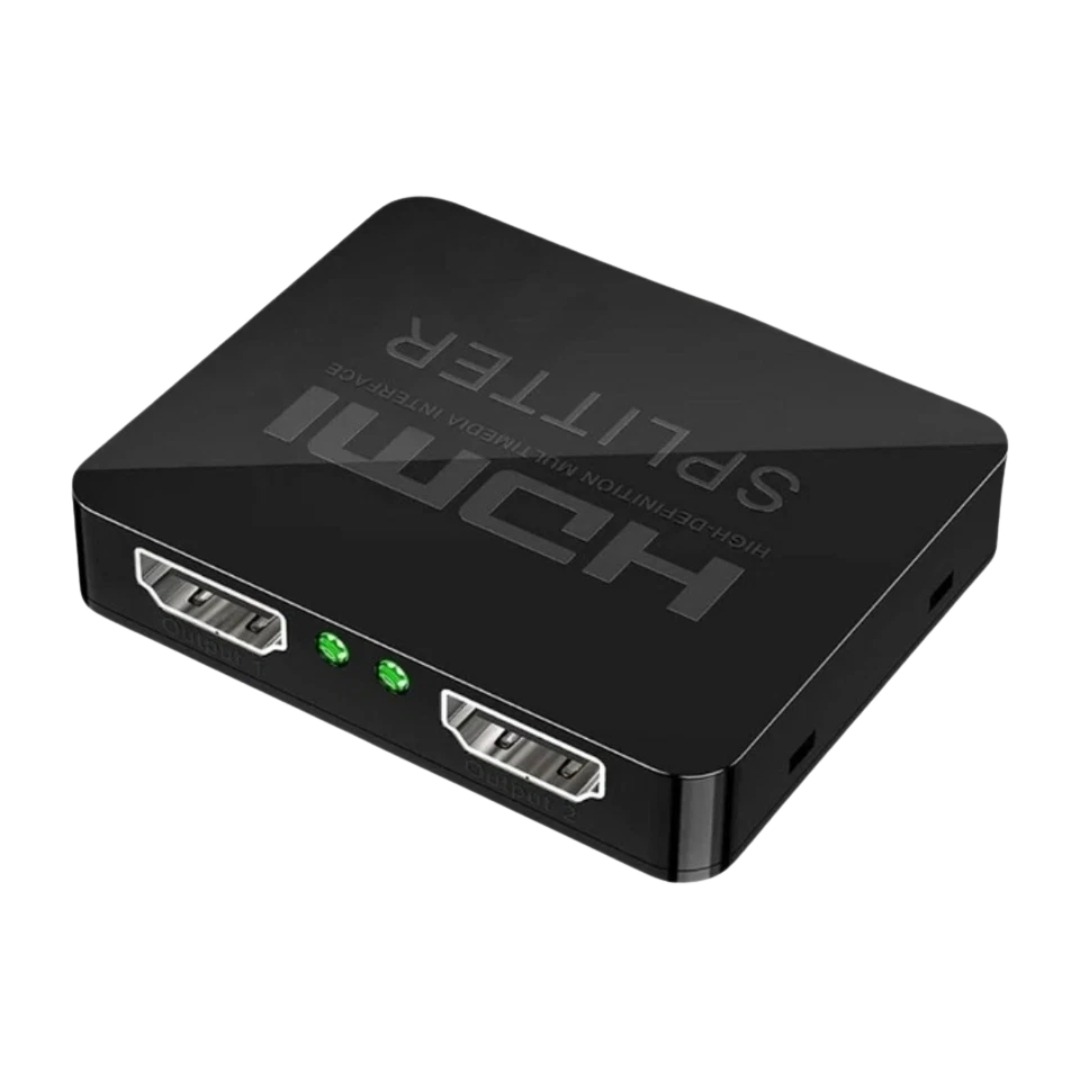
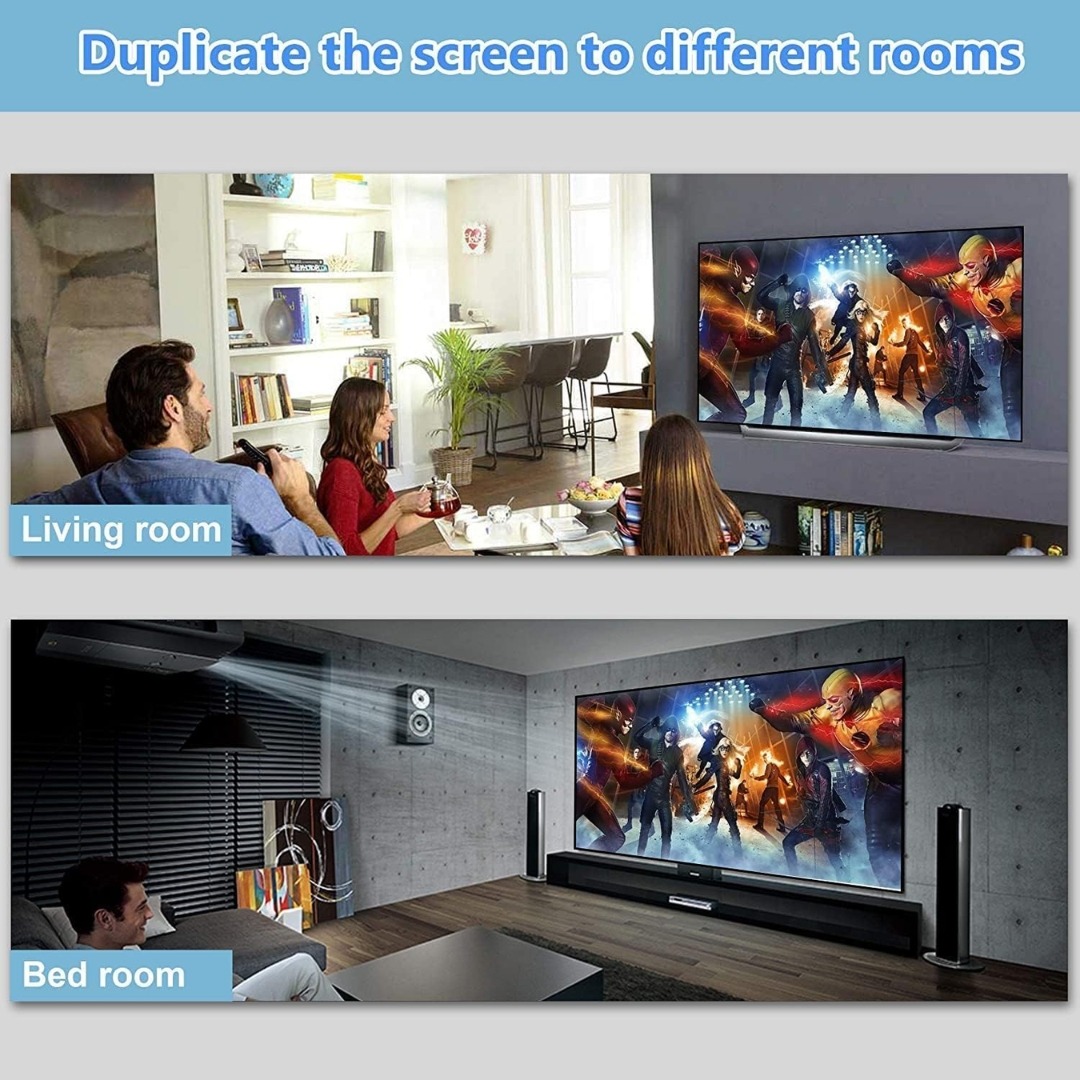
1 in 2 Out – Mirror Your Source to Two Screens (4k hdmi splitter 1 in 2 out)
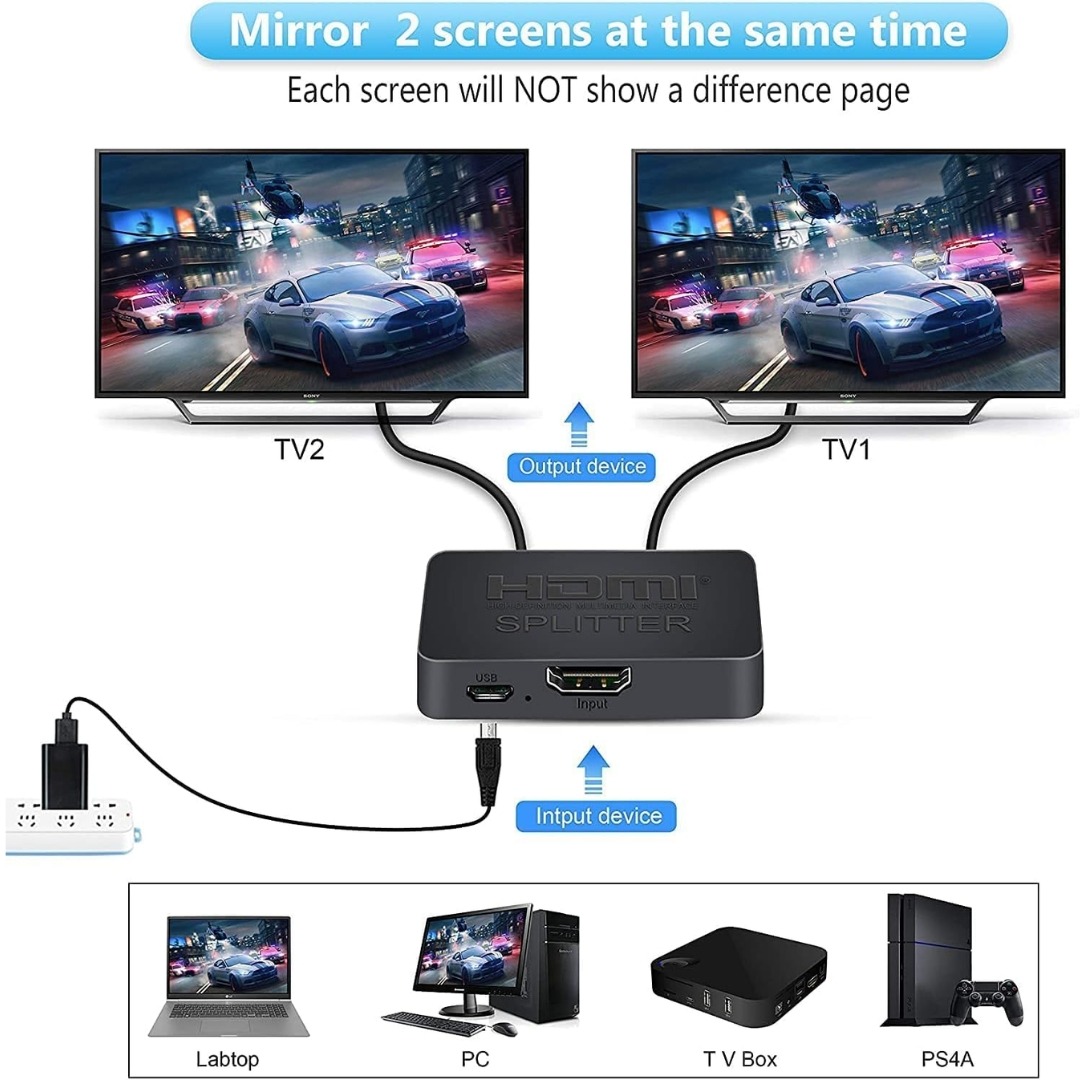
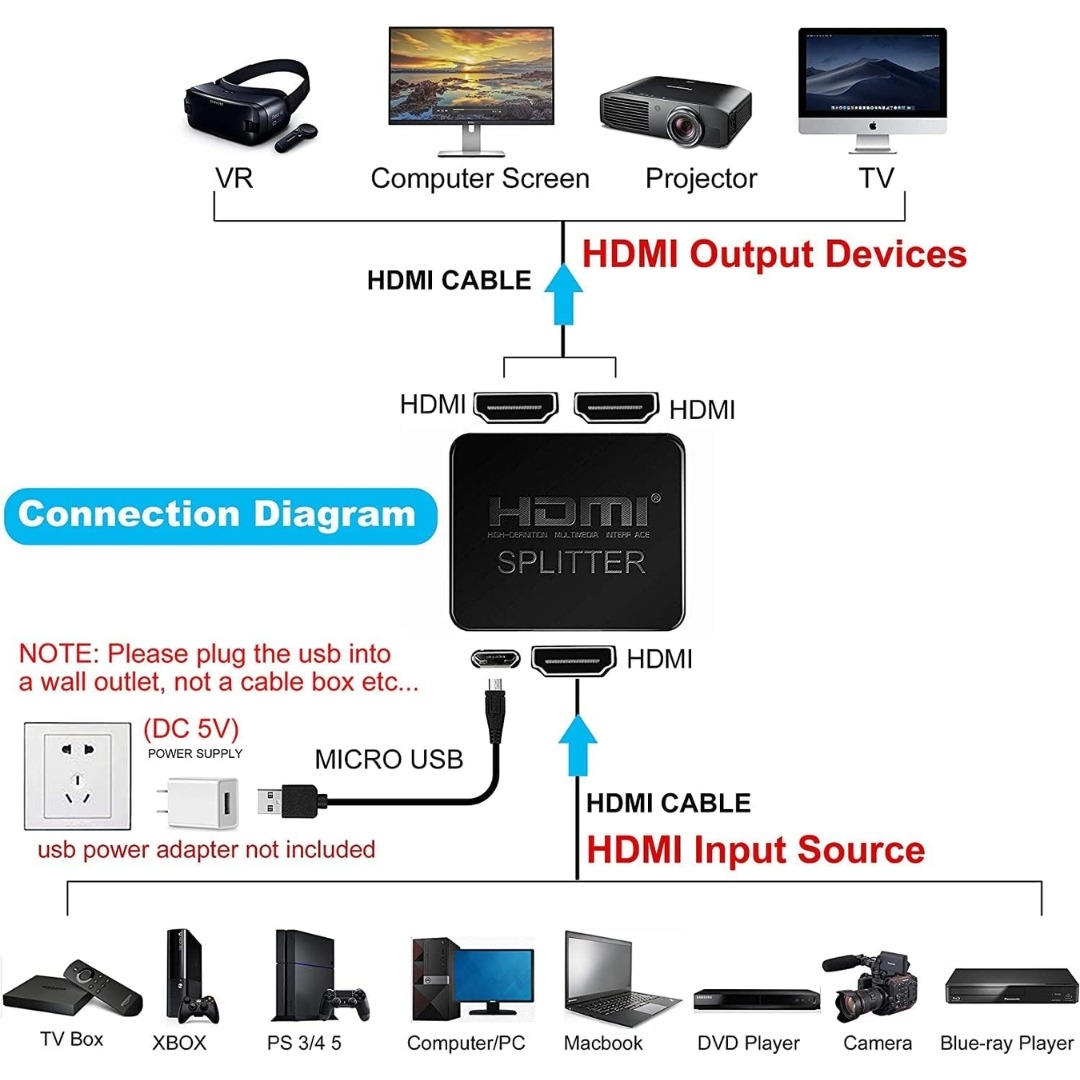
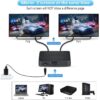
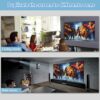
This splitter features one input and two outputs. Specifically, connect your source device (laptop, Sky Box, Fire Stick, games console) to the input. Connect two displays (TVs, monitors, projectors) to the outputs. Therefore, the same image appears on both screens at the same time. For instance, show a presentation on two monitors in a conference room. Similarly, watch a movie on two TVs in a pub or bar. As a result, everyone sees the same content.
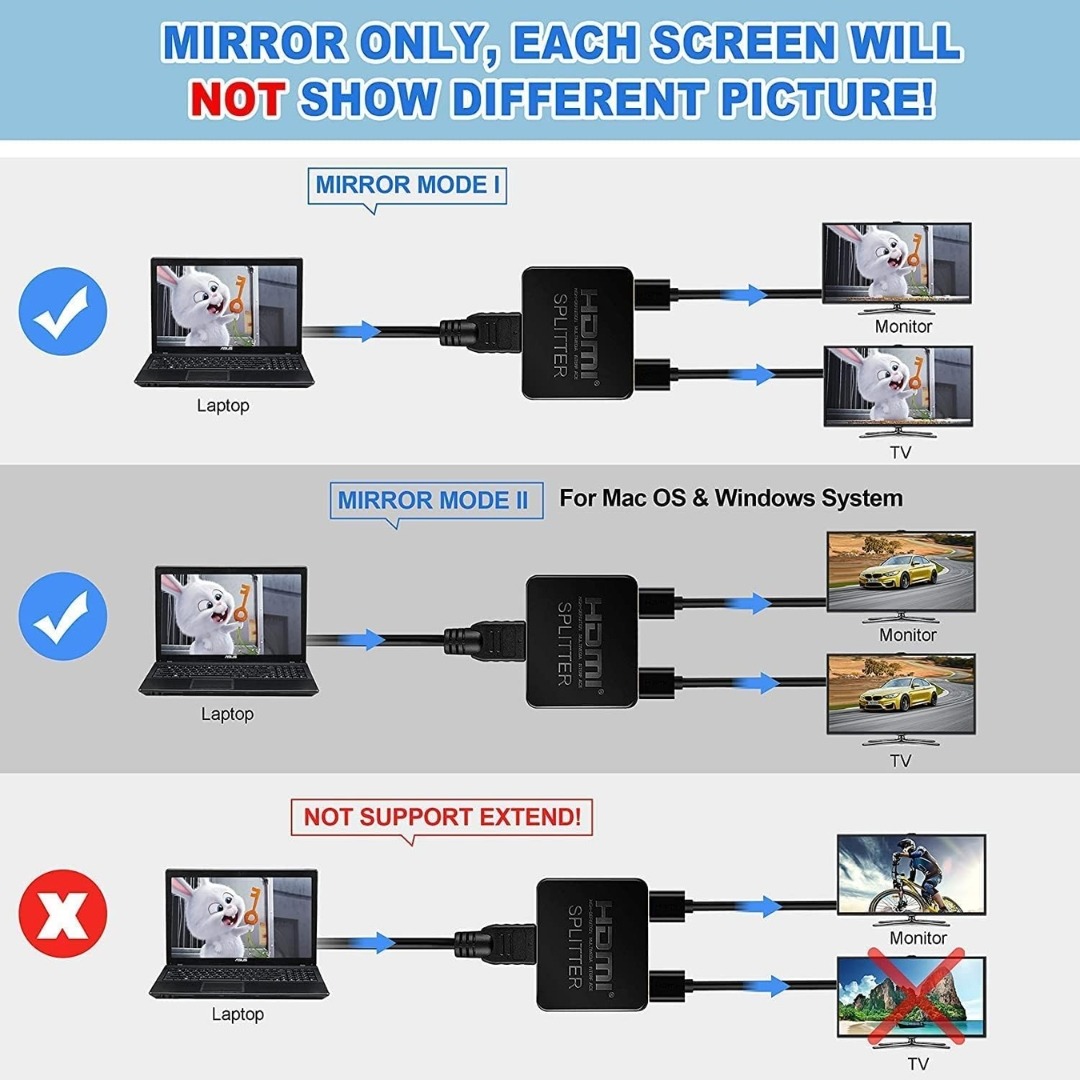
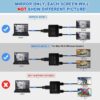
The splitter duplicates the signal. Consequently, it does not extend your desktop (see note below).
Supports 4K@30Hz – Ultra High Definition Quality
This splitter supports 4K resolution at 30Hz. Specifically, it handles 3840×2160 pixel resolution. Therefore, your 4K content looks sharp and detailed. For instance, watch 4K movies or play 4K games on two screens simultaneously. Similarly, display high-resolution presentations without loss of quality. As a result, you get the best possible picture from your source device.
The splitter also supports Full HD 1080P at higher refresh rates. Consequently, it is backwards compatible with older displays.
Full HD 1080P and 3D Support – Versatile Compatibility (4k hdmi splitter 1 in 2 out)
Not all content is 4K. This splitter also supports Full HD 1080P resolution. Specifically, it works perfectly with standard HD sources like Sky HD, Freeview, and older games consoles. Therefore, you can use it with a wide range of equipment. For instance, connect a 1080P Blu-ray player to show movies on two TVs. Similarly, the splitter supports 3D content where your source and displays support it. As a result, it is versatile for different home and professional setups.
The splitter automatically detects the input resolution. Consequently, no manual switching is needed.
Important Note – Mirroring Only, Not Extended Desktop
This splitter duplicates the same image on both screens. Specifically, it does not extend your desktop across two monitors. Therefore, you cannot have different content on each screen. For instance, you cannot have email on one monitor and a spreadsheet on the other. As a result, this splitter is for mirroring only, not for expanding your workspace.
For extended desktop functionality, use a USB graphics adapter or a different type of splitter. Consequently, choose the right tool for your needs.
Plug and Play – No Drivers or Software Required (4k hdmi splitter 1 in 2 out)
Some splitters require complex setup. This splitter is truly plug and play. Specifically, no drivers, no software, and no configuration. Therefore, you simply connect the cables and power it on. For instance, plug your source into the input. Plug your displays into the outputs. Connect the USB power cable. As a result, both screens light up with the same image immediately.
The splitter works with Windows, Mac, Linux, and Chrome OS. Consequently, no operating system restrictions.
HDCP Compliant – Works with Copy-Protected Content
Many video sources use HDCP (High-bandwidth Digital Content Protection). For example, Sky Box, Blu-ray players, and streaming devices require HDCP compliance. This splitter is HDCP compliant. Therefore, it works with copy-protected content. For instance, watch a Sky movie on two TVs without error messages. Similarly, play a Blu-ray disc without the screen going blank. As a result, you can use it with all your legitimate media sources.
Check your source device’s HDCP version for full compatibility. Consequently, ensure the best results.
Real Use Cases for UK Homes and Businesses (4k hdmi splitter 1 in 2 out)
Consider a pub or bar that has two large TVs in different seating areas. Customers want to watch the same football match on both screens. Connecting the Sky Box to one TV is easy. Getting the signal to the second TV requires this splitter. The Sky Box connects to the splitter input. One output goes to the first TV. The other output goes to the second TV via a long HDMI cable. As a result, both TVs show the match simultaneously, and all customers are happy.
Similarly, a conference room has a wall-mounted TV and a portable projector for larger audiences. Presenters want to show their laptop screen on both devices. This splitter solves the problem. The laptop connects to the splitter input. The TV and projector connect to the two outputs. The presenter’s slides appear on both screens. As a result, everyone in the room can see clearly.
Furthermore, a home gym has a TV on the wall and a smaller monitor on a treadmill. The owner wants to watch the same Netflix show from either location. They connect their Fire Stick to the splitter input. The wall TV and treadmill monitor connect to the outputs. As a result, they can move between equipment without losing their programme.
Supports Long Cable Runs – Stable Signal
The splitter actively boosts the HDMI signal. Specifically, it regenerates the signal to maintain quality over long distances. Therefore, you can use longer HDMI cables between the splitter and your displays. For instance, run a 10-metre cable to a distant TV without signal loss. Similarly, the splitter compensates for cable quality variations. As a result, you have flexibility in placing your screens.
For best results, use high-quality HDMI cables. Consequently, maximise your signal integrity.
Compact and Lightweight – Easy to Install (4k hdmi splitter 1 in 2 out)
This splitter is small and discreet. Specifically, it is approximately the size of a pack of cards. Therefore, it fits easily behind a TV, under a desk, or in a cable management box. For instance, Velcro it to the back of a wall-mounted TV. Similarly, hide it in a media cabinet. As a result, it does not clutter your setup.
The lightweight design allows for easy mounting. Consequently, use adhesive pads or cable ties to secure it.
USB Powered – No Wall Socket Needed
The splitter is powered via USB. Specifically, it comes with a USB power cable (adapter not always included). Therefore, you can power it from your TV’s USB port, a computer, or a phone charger. For instance, plug it into the USB port on your TV. The splitter turns on when the TV turns on. As a result, no extra wall sockets are required.
If your TV’s USB port does not provide enough power, use a standard USB phone charger. Consequently, ensure stable operation.
Wide Compatibility – Works with Many Devices
This HDMI splitter is compatible with:
-
Laptops and desktop computers
-
Sky Box, Virgin Media, Freeview
-
Amazon Fire Stick, Google Chromecast, Apple TV
-
Blu-ray and DVD players
-
PlayStation 4, PlayStation 5, Xbox One, Xbox Series X/S, Nintendo Switch
-
Projectors and monitors
-
Digital signage players
For example, connect a gaming PC to show gameplay on two monitors. Connect a Fire Stick to show Netflix on two TVs. As a result, it is a versatile tool for any setup.
Not for Extended Desktop – Important Clarification
This splitter mirrors the same image. Specifically, it does NOT extend your desktop. Therefore, do not buy this if you want two different images on two monitors. For instance, you cannot have a webpage on one screen and a document on the other. For extended desktop, use a USB to HDMI adapter or a graphics card with multiple outputs. As a result, manage your expectations accordingly.
The product title and description clearly state “mirror”. Consequently, read carefully before purchasing.
Supports 3D Content – For Home Cinema
If you have 3D content, this splitter supports it. Specifically, it passes through 3D signals from compatible sources. Therefore, you can watch 3D Blu-rays or play 3D games on two 3D TVs simultaneously. For instance, a home cinema enthusiast can show 3D movies in two different rooms. As a result, you get full use of your 3D media.
Your source and displays must all support 3D. Consequently, check your equipment specifications.
Easy Setup – Step by Step (4k hdmi splitter 1 in 2 out)
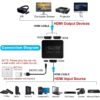
Setting up the splitter takes seconds. First, connect your source device (laptop, Sky Box, etc.) to the splitter’s input port using an HDMI cable. Second, connect your two displays to the splitter’s output ports using HDMI cables. Third, connect the USB power cable to the splitter and to a USB power source (TV USB port or phone charger). Fourth, turn on your source device and displays. The same image should appear on both screens. As a result, you are ready to go.
If one screen is blank, check that both displays support the resolution. Consequently, adjust the source output if needed.
LED Indicator – Shows Power Status
The splitter has a small LED indicator. Specifically, it lights up when power is connected. Therefore, you can see at a glance that the splitter is working. For instance, if the LED is off, check the USB power connection. Similarly, the LED confirms the splitter is receiving power. As a result, troubleshooting is easier.
The LED is not overly bright. Consequently, it does not distract in dark viewing environments.
This 4K HDMI splitter 1 in 2 out for dual monitors is supplied by Sellertree, a UK-based online seller of practical connectivity and AV essentials.
BULLET POINTS
✅ 1 in 2 out – mirror one source to two displays simultaneously
✅ 4K@30Hz support – ultra high definition quality for 4K content
✅ Full HD 1080P and 3D compatible – works with standard HD and 3D sources
✅ Plug and play – no drivers, no software, no configuration needed
✅ HDCP compliant – works with Sky Box, Blu-ray, and streaming devices
✅ USB powered – power from TV USB port, computer, or phone charger
✅ Compact design – small size fits behind TVs or under desks
✅ Important note – for mirroring only, not extended desktop
SPECIFICATIONS TABLE
| Feature | Detail |
|---|---|
| Product type | HDMI splitter |
| Input | 1 x HDMI (female) |
| Output | 2 x HDMI (female) |
| Max resolution | 4K@30Hz (3840×2160) |
| Also supports | 1080P, 1080i, 720P, 576P, 480P, 3D |
| HDCP compliance | Yes |
| Power | USB (cable included, adapter not included) |
| Plug and play | Yes – no drivers required |
| Function | Mirror only (same image on both screens) |
| Not for | Extended desktop (different images) |
HOW TO USE (4k hdmi splitter 1 in 2 out)
-
Connect your source device (laptop, Sky Box, Fire Stick, games console) to the splitter’s input port using an HDMI cable.
-
Connect your two displays (TVs, monitors, projectors) to the splitter’s output ports using HDMI cables.
-
Connect the USB power cable to the splitter and to a USB power source (TV USB port, computer, or phone charger).
-
Turn on your source device and displays.
-
The same image should appear on both screens.
-
If not, check that all cables are securely connected and that both displays support the output resolution.
-
Adjust your source device’s display settings if needed (e.g., set to 1080P or 4K).