Description
The Problem – Standard Remotes Are Slow and Frustrating
Typical TV remotes require pressing directional buttons repeatedly to navigate on-screen keyboards. For example, typing “Netflix” takes twenty or more clicks. Similarly,lg smart tv magic remote scrolling through YouTube search results is painfully slow. Furthermore, switching between apps involves multiple button presses. As a result, using smart TV features becomes a chore rather than a pleasure.The lg smart tv magic remote solves this problem completely. Consequently, navigating your TV becomes as natural as using a computer mouse.
Point, Click and Scroll – Like a Wireless Mouse
This remote uses motion sensing technology. Specifically, it works like an air mouse. When you move the remote, an on-screen cursor appears. Therefore, you can point directly at what you want. For instance, click on a Netflix show. Similarly, scroll through a long list of YouTube videos. Likewise, select a specific moment in a film. As a result, navigation is instantaneous rather than incremental.
To illustrate, typing on the on-screen keyboard takes a fraction of the time. You simply point at each letter and click. Consequently, searching for content is no longer frustrating.
Built-in Microphone for Voice Control
The Magic Remote includes a microphone with a dedicated voice button. For example, press the microphone button and say “Open Netflix”. Similarly, say “Find action movies” or “Search for Tom Hanks”. Furthermore, it works with LG’s ThinQ AI and supports Google Assistant and Amazon Alexa. As a result, you can control your TV entirely by voice.
For instance, you can ask “What is the weather tomorrow?” or “Turn up the volume”. Likewise, you can search YouTube and other apps hands-free. Consequently, the remote is perfect for times when your hands are full or you simply want to speak rather than type.
Wheel Button for Fast Scrolling of lg smart tv magic remote
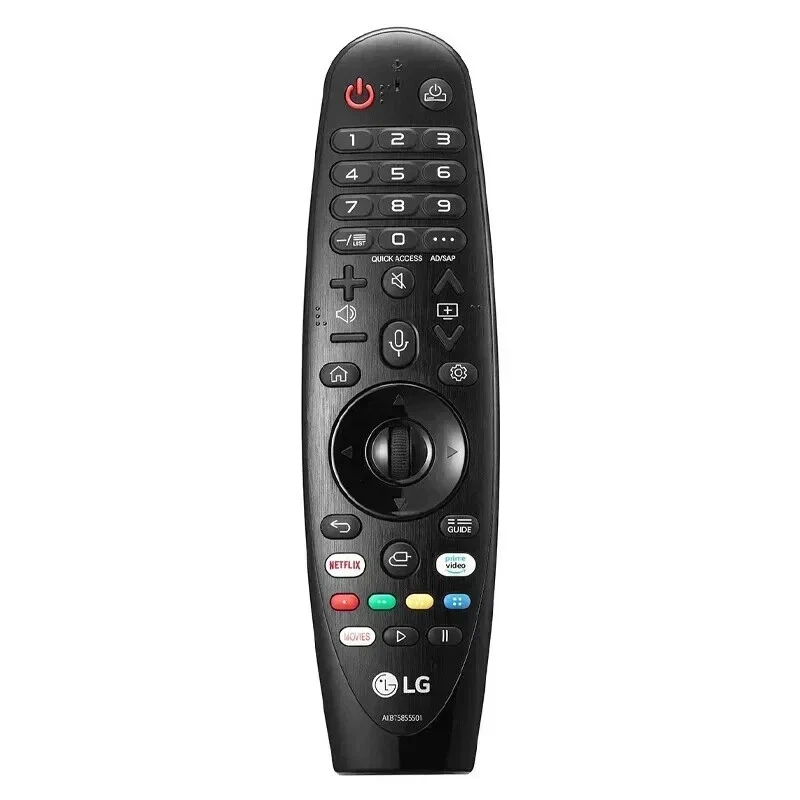
The Magic Remote features a central scroll wheel. Specifically, it works like a mouse wheel. For example, rolling the wheel up or down lets you scroll through menus, web pages, and app lists quickly. Similarly, it works in web browsers and on long YouTube comment sections. Furthermore, pressing the wheel acts as an enter/select button. As a result, you have three functions in one button – scroll, click and confirm.
Dedicated App Buttons for Instant Access
Some replacement remotes omit app buttons to save cost. This Magic Remote includes them. For instance, dedicated buttons for Netflix, Prime Video, Disney+, and LG Channels are present. Likewise, there are buttons for Rakuten TV, iPlayer, and other regional streaming services (depending on TV model). Consequently, you can launch your favourite apps with a single press.
To illustrate, pressing the Netflix button takes you directly to Netflix. Similarly, pressing the Home button returns you to the main dashboard. As a result, switching between apps and live TV is seamless.
Motion Sensing – Activate When Lifted
The remote includes a motion sensor that detects when you pick it up. Specifically, as soon as you lift the remote, the on-screen cursor appears automatically. Therefore, you do not need to press any buttons to activate pointing mode. For example, pick up the remote, point at the screen, and click. Likewise, after a few seconds of inactivity, the cursor disappears to avoid distraction. Consequently, it is both responsive and unobtrusive.
Easy Pairing with Your LG TV
Pairing the Magic Remote takes only a few seconds. Specifically, turn on your LG TV. Then point the remote at the TV. Finally, press and hold the Wheel and Back buttons together for approximately 5 seconds . A message will appear on your TV confirming the connection . As a result, you are up and running in under a minute.
Universal Control for Connected Devices
The Magic Remote can control more than just your TV. For example, it works with connected soundbars, Blu-ray players, and set-top boxes. Similarly, you can programme it to control other brands of devices. Therefore, you may only need one remote for your entire entertainment system. Consequently, your coffee table stays clean and uncluttered.
Ergonomic Design – Comfortable for All Hands
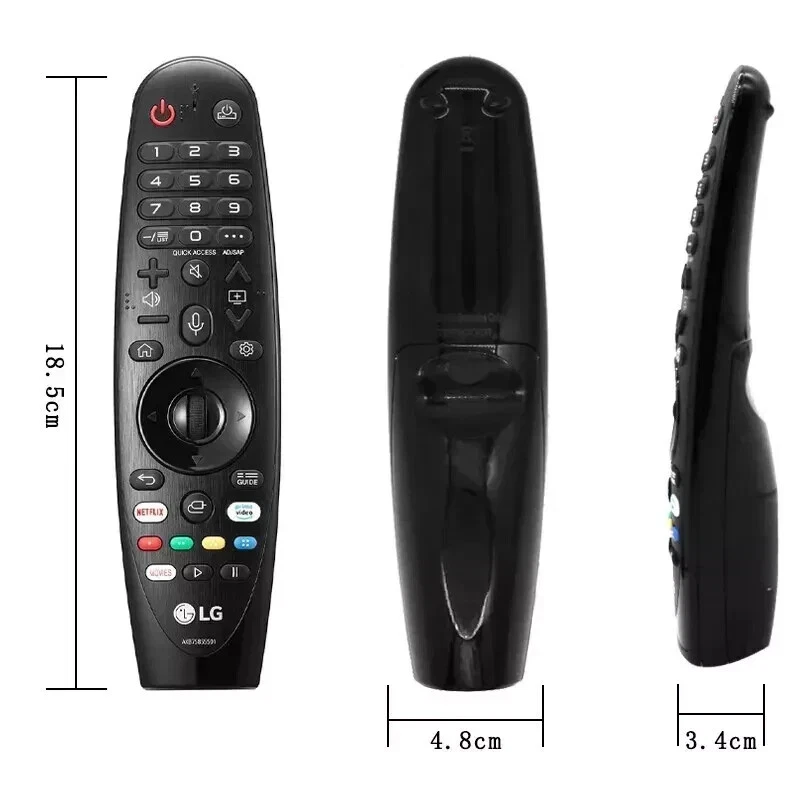
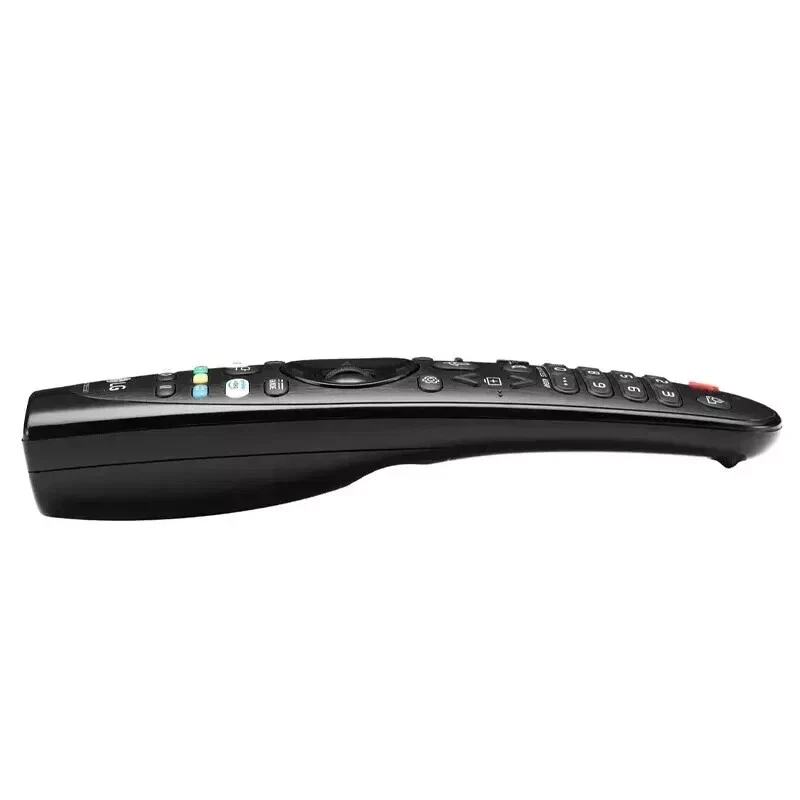
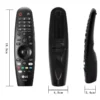
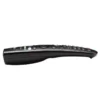
The Magic Remote is curved to fit naturally in your palm. Specifically, the back has a gentle arch. Therefore, it is comfortable to hold for long films or marathon sessions. Furthermore, the buttons are arranged logically around the central scroll wheel. As a result, your thumb rests naturally on the wheel, making one-handed operation easy.
For instance, the volume and channel buttons are placed where your index finger naturally sits. Likewise, the power and input buttons are at the top. Consequently, you can operate the remote without looking at it.
Real Use Cases for UK LG TV Owners
Consider a household that uses streaming services daily. Navigating between Netflix, iPlayer, and Disney+ used to require multiple button presses. With the Magic Remote, each service is one click away. Similarly, searching for a specific film on YouTube previously took minutes of typing. Now it takes seconds of pointing and speaking. As a result, everyone in the family uses the smart features more often.
Similarly, an elderly user finds standard remotes difficult. Small directional buttons are hard to press accurately. On-screen keyboards require patience. The Magic Remote’s point-and-click interface is far more intuitive. For example, they can simply point at what they want and press. Likewise, voice search removes the need for typing entirely. Consequently, technology becomes accessible rather than intimidating.
Furthermore, a home cinema enthusiast has multiple devices connected to their LG OLED. Swapping remotes for the soundbar, Blu-ray player, and TV is frustrating. The Magic Remote’s universal control feature manages all of them. As a result, one remote controls everything.
Compatibility – Which TVs Work with This Remote?
The LG Magic Remote works with most LG smart TVs manufactured from 2017 onwards. Specifically, it is compatible with:
-
LG OLED series (B7, C7, B8, C8, B9, C9, BX, CX, GX, C1, G1, C2, G2, C3, G3 and newer)
-
LG NanoCell and QNED series (2018 onwards)
-
LG UHD (4K) series (2017 onwards)
-
Some LG LED/LCD models with webOS 4.0 or higher
For example, if your TV has webOS and was made after 2017, it is highly likely to be compatible . To confirm, look for the Magic Remote logo on your TV’s specifications or user manual. As a result, you can purchase with confidence.
Important Note About Model Numbers
There are several model numbers of the Magic Remote. For instance, MR19BA, MR20GA, MR21GA, MR22GA, and MR23GA are common. This remote is the current standard version that works with most 2019-2025 LG TVs . If you have a very specific or older model, please check compatibility with your TV’s manual. Consequently, you will avoid any disappointment.
No Batteries Included – Use Standard AA
The Magic Remote requires two AA batteries. For best performance, use alkaline batteries. For a more eco-friendly option, use rechargeable AA batteries. As a result, you can keep the remote powered for months between changes.
This LG Smart TV Magic remote is supplied by Sellertree, a UK-based online seller of practical TV and electronics accessories.
BULLET POINTS
✅ Point, click and scroll – motion sensing technology works like a wireless mouse
✅ Built-in microphone – voice control with LG ThinQ, Google Assistant, and Amazon Alexa
✅ Dedicated streaming buttons – one-press access to Netflix, Prime Video, Disney+, and more
✅ Scroll wheel – fast navigation through menus, web pages, and long lists
✅ Automatic cursor activation – pick up the remote and the cursor appears instantly
✅ Universal control – works with connected soundbars, set-top boxes, and other devices
✅ Ergonomic curved design – comfortable for hours of use
✅ Compatible with LG OLED, NanoCell, QNED, and UHD TVs (2017 onwards)
SPECIFICATIONS TABLE
| Feature | Detail |
|---|---|
| Brand | LG |
| Common model numbers | MR19BA, MR20GA, MR21GA, MR22GA, MR23GA |
| Connectivity | Bluetooth (pairing required) + IR (for basic functions) |
| Motion sensing | Yes – point, click, and scroll |
| Microphone | Yes (voice control button) |
| Voice assistant support | LG ThinQ, Google Assistant, Amazon Alexa |
| Scroll wheel | Yes (central wheel with click function) |
| Dedicated app buttons | Netflix, Prime Video, Disney+, iPlayer (varies by TV) |
| Battery type | 2 x AA (not included) |
| Compatibility | LG OLED, NanoCell, QNED, UHD (2017 onwards) |
HOW TO USE This Lg smart tv magic remote
-
Insert two AA batteries into the rear compartment of the remote.
-
Turn on your LG Smart TV.
-
Point the Magic Remote toward the TV.
-
Press and hold the Wheel (OK) button and the Back button together for approximately 5 seconds.
-
Wait for the on-screen confirmation that the remote is paired.
-
Lift the remote to activate the cursor, then point at the screen and click.
-
Press the microphone button and speak to use voice commands (e.g., “Open Netflix”).