




Description
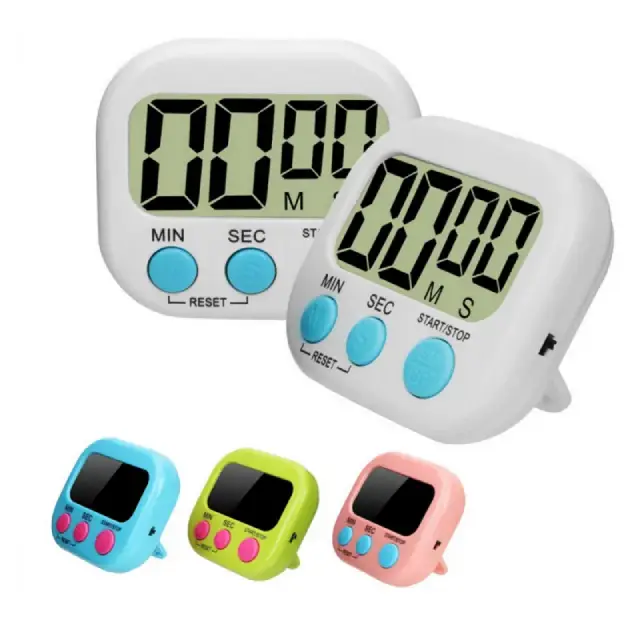
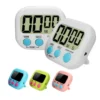
This digital kitchen timer features a large LCD display and a powerful magnetic back for easy attachment to your fridge, oven, or any metal surface. The simple countdown and count-up functions help you track cooking times precisely, so you never overcook or burn your food again.
Why a Digital Kitchen Timer Makes Cooking More Reliable
Timing is everything in cooking. A few minutes too long can turn a perfect roast into a dry, overdone disappointment. Relying on your phone’s timer means unlocking a screen with messy hands or missing notifications because your ringer is off. This digital kitchen timer solves that problem with a dedicated, easy-to-use device designed specifically for the kitchen. As a result, you can set a time with one hand, read it from across the room, and hear it clearly over the noise of your extractor fan or running tap. Furthermore, the magnetic back attaches directly to your hob, extractor hood, or fridge, keeping the timer where you can always see it.
Many home cooks in the UK use kitchen timers for baking, where precise timing affects the texture and rise of cakes, breads, and pastries. Similarly, people following recipes for boiled eggs, rice, or pasta appreciate the accuracy of a countdown timer. For those who meal prep or batch cook, the count-up function helps you track how long something has been in the oven or slow cooker. Consequently, a simple timer helps you cook more consistently and avoid wasted food.
Large LCD Display for Easy Reading (Digital kitchen timer with magnetic back)
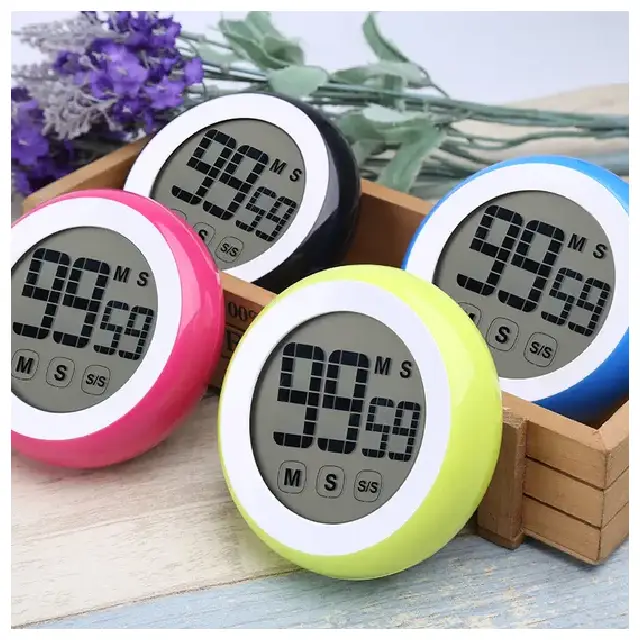
The timer features a generously sized LCD screen with tall, clear digits. You can read the display from several meters away, even in bright kitchen lighting. The screen shows minutes and seconds up to 99 minutes and 59 seconds, which covers almost any cooking task. The display also indicates whether the timer is counting down, counting up, or paused. For low-light conditions or dim kitchen corners, the screen has good contrast that remains readable without a backlight.
Magnetic Back for Convenient Placement
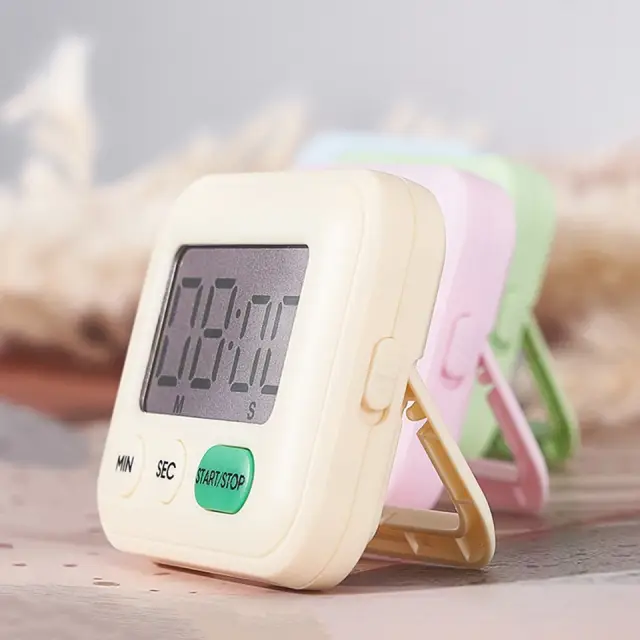
The built-in magnet is the standout feature of this kitchen countdown timer. You can attach it to the front of your refrigerator, the side of your microwave, your extractor hood, or even a metal splash back. This keeps the timer at eye level, so you do not have to search through drawers or leave it lying on the counter. The magnet is strong enough to hold the timer securely, even when you press the buttons. If you prefer not to use the magnet, a fold-out stand allows you to prop the timer on your work surface.
This Digital Kitchen Timer with Magnetic Back is supplied by Sellertree, a UK-based online seller of practical kitchen and home essentials.
Simple Button Controls (Digital kitchen timer with magnetic back)
The timer has three or four large buttons that are easy to operate, even with wet or flour-dusted fingers. The HOUR and MINUTE buttons allow you to set the desired time quickly. The START/STOP button begins and pauses the countdown. A dedicated memory or repeat button lets you restart your most recently used time without resetting from zero. For times under one minute, simply set the seconds directly. The buttons have a firm, click feel, so you know when you have pressed them.
Loud and Clear Alarm
When the countdown reaches zero, the timer emits a loud, attention-grabbing beep. The alarm is loud enough to hear from another room, but not so shrill that it is unpleasant. The beeping continues for approximately 60 seconds or until you press the STOP button. For those who prefer a quieter alert, some models offer adjustable volume settings. The timer also includes a count-up function. If you forget to start the timer, you can press start at any point, and it will begin counting up from zero, showing you how long your food has been cooking.
Versatile Cooking Companion
Beyond the kitchen, this digital timer is useful in many other settings. Use it for:
-
Timing exercise intervals and rest periods
-
Managing study sessions or work sprints (Pomodoro technique)
-
Tracking how long children spend playing video games
-
Timing home spa treatments like face masks
-
Monitoring the time for parking or laundry machines
✅ Large LCD display with tall, clear digits – readable from across the kitchen
✅ Powerful magnetic back attaches to fridges, hobs, ovens, and metal splash backs
✅ Countdown function up to 99 minutes and 59 seconds
✅ Count-up function tracks elapsed time from zero
✅ Simple button controls – easy to operate with messy hands
✅ Loud alarm alerts you when time is up
✅ Memory/repeat button for quickly reusing the same time setting
✅ Fold-out stand included for countertop use
Specifications
| Feature | Detail |
|---|---|
| Product type | Digital kitchen timer |
| Display type | Large LCD |
| Maximum countdown | 99 minutes 59 seconds |
| Maximum count-up | 99 minutes 59 seconds |
| Resolution | 1 second increments |
| Mounting options | Magnetic (rear) or fold-out stand |
| Power source | 1 x AAA battery (included or not – check listing) |
| Alarm duration | Approx. 60 seconds (auto-stop or manual) |
| Memory function | Yes (repeat last set time) |
| Colour | White, black, or assorted |
| Dimensions | Approx. 8cm x 6cm x 2cm |
How to Use
-
Insert the AAA battery into the compartment (if not pre-installed).
-
Attach the timer to your fridge, oven, or metal surface using the magnetic back.
-
Alternatively, pull out the stand to place the timer on your counter.
-
Press the MINUTE and SECOND buttons to set your desired time.
-
Press the START/STOP button to begin the countdown.
-
The display will show the remaining time counting down.
-
When the timer reaches zero, the alarm will sound.
-
Press any button to stop the alarm.
-
Press the MEMORY button to restart the same time again.


Reviews
There are no reviews yet.